The global fintech market is projected to reach $340 billion by 2028 with a 16.5% compound annual growth rate, making fintech app design a critical differentiator. Users now expect these digital financial services to be as intuitive as their favorite social platforms.
The global fintech market is projected to reach $340 billion by 2028, growing at a compound annual rate of 16.5%. As digital financial services become the norm rather than the exception, fintech app design has emerged as a critical differentiator in an increasingly crowded marketplace. Users now expect their banking apps to be as intuitive as their favorite social platforms, yet they demand enterprise-grade security and unwavering reliability when managing their money.
The challenge facing fintech designers is unprecedented: create experiences that feel effortless while maintaining the trust, compliance, and security that financial services demand. A poorly designed interface isn’t just frustrating, it can erode user confidence, trigger regulatory violations, or worse, expose vulnerabilities that compromise sensitive financial data. This guide explores how successful fintech companies balance these competing priorities, drawing insights from industry leaders and establishing best practices for financial services app design that drives both adoption and retention.
Why Fintech Design is Different
The Stakes Are Higher
Fintech app design operates under fundamentally different constraints than traditional consumer apps. When users interact with entertainment or social platforms, errors are forgivable, a failed video load or misplaced comment is momentarily annoying but inconsequential. In financial applications, every interaction carries weight. A misunderstood button could initiate an irreversible transaction. An unclear error message could leave users locked out of their accounts during critical moments. Poor information architecture might cause someone to miss a payment deadline, damaging their credit score.

Research from Baymard Institute shows that 87% of users will abandon a financial app after a single confusing experience. This low tolerance threshold means fintech designers must achieve near-perfect clarity on first use, with zero learning curve for critical functions like transfers, payments, or account security.
Regulatory Constraints Shape Design Decisions
Unlike most digital products where designers have creative freedom, banking app UX design must navigate a complex web of regulations that directly impact interface choices. GDPR mandates specific consent flows and data transparency. PCI-DSS dictates how payment information is collected and displayed. The Americans with Disabilities Act (ADA) and Web Content Accessibility Guidelines (WCAG) require complete accessibility features, not as nice-to-haves, but as legal requirements.
Companies like Revolut and Monzo have demonstrated that regulatory compliance doesn’t mean sacrificing elegance. Their interfaces incorporate mandatory disclosures, multi-factor authentication, and detailed transaction histories while maintaining visual simplicity. The key is treating regulatory requirements as design constraints from day one, not afterthoughts to be bolted onto finished products.
Real-Time Expectations in a High-Risk Environment
Modern fintech users expect instant feedback for every action. Stripe’s payment interfaces exemplify this principle, users see real-time validation as they type credit card numbers, immediate confirmation when payments succeed, and instant error states when something fails. This responsiveness builds confidence that the system is working correctly.
However, real-time feedback in financial contexts requires extraordinary precision. Ambiguous loading states can create anxiety (“Did my payment go through?”). Delayed confirmations cause users to retry transactions, potentially creating duplicates. Robinhood learned this lesson during their 2020 outages, when unclear system status messages during high-volume trading created massive user confusion and eroded trust in the platform.
Designing for Financial Literacy Gaps
A significant challenge in fintech UI design patterns is accommodating users with varying levels of financial knowledge. Some users understand concepts like APR, compound interest, and portfolio diversification. Others are managing money digitally for the first time and find terminology like “pending transactions” or “available balance” confusing.
Successful fintech apps layer complexity intelligently. Chime and Current use plain language and progressive disclosure, basic functions use conversational terms while advanced features provide detailed financial terminology for sophisticated users. Tooltips, contextual help, and in-app education become essential design components rather than auxiliary features.
Trust Signals in Financial Interfaces
Visual Indicators of Security and Legitimacy
Trust begins with visual credibility. Payment app design must immediately communicate legitimacy through professional polish, consistent branding, and recognizable security symbols. PayPal and Square display SSL certificates prominently, use established security icons (padlock symbols, shield imagery), and maintain consistent visual language across all touchpoints.

Color psychology plays a strategic role, blues and greens dominate fintech palettes because they psychologically connote stability, trust, and growth. Startups often struggle when they attempt overly trendy designs with high contrast colors or unconventional layouts; users instinctively distrust financial apps that don’t look “serious.” The design must balance approachability with authority.
Transparency builds trust through design. Stripe Dashboard shows exactly what’s happening behind the scenes, when funds will transfer, why certain holds exist, what fees apply. This visibility reduces anxiety and prevents users from feeling manipulated or confused by hidden processes.
Social Proof and Credibility Markers
Modern users research financial products extensively before committing. Integrating trust indicators directly into the interface accelerates this validation. Displaying security certifications (SOC 2, ISO 27001), regulatory registrations (FDIC insured, FCA authorized), and third-party ratings creates immediate credibility.
Revolut prominently displays their banking licenses and regulatory status in-app, addressing a common concern about digital-only banks. Coinbase showcases their insurance coverage for digital assets, directly countering the “crypto is risky” narrative. These aren’t marketing embellishments, they’re essential UX components that reduce friction in the decision-making process.
User testimonials and usage statistics (“Trusted by 5M+ users”) provide social validation, but must be implemented carefully. Generic stock photos or obviously inflated numbers trigger skepticism. Authentic, specific testimonials with real names and verifiable details carry far more weight.
Consistent, Predictable Interaction Patterns
Trust accumulates through consistency. Users learn to trust systems that behave predictably, buttons that always work the same way, gestures that produce expected results, navigation that follows established mental models. Banking app UX design benefits enormously from adhering to platform conventions (iOS and Android design guidelines) rather than reinventing basic interactions.
Financial apps should be boring in the best possible way. Users shouldn’t need to think about how to complete standard transactions. Novelty creates cognitive load, which breeds uncertainty. Cash App and Venmo succeed because their core functions (send money, receive money) work exactly as users expect, with zero surprises.
Error handling is particularly critical for trust. When something goes wrong, and it inevitably will, the app’s response determines whether users maintain confidence. Clear error messages that explain what happened, why, and what to do next transform frustrating moments into opportunities to demonstrate reliability. Ambiguous errors (“Something went wrong” with no context) destroy trust.
Progressive Trust Building Through Onboarding
First impressions dictate whether users will entrust an app with their financial life. Effective fintech app design onboarding balances three competing goals: collecting required information (KYC compliance), explaining value propositions, and getting users to their first successful action quickly.
N26 and Monzo excel at progressive onboarding, users can explore basic features before completing full verification. This “try before you trust” approach lets users validate the experience before committing sensitive information. Each step clearly explains why information is needed, linking requirements to specific benefits (“We need this to protect your account from fraud”).
Successful onboarding also establishes security expectations early. Requiring strong passwords, enabling biometric authentication, and explaining two-factor authentication during setup normalizes security as integral to the experience, not an added burden.
Compliance Considerations for Fintech Design
GDPR and Data Privacy Requirements
The General Data Protection Regulation fundamentally reshaped how financial services app design handles user data. Compliance requires transparent data collection practices, explicit consent for data processing, and user-accessible data management controls. These requirements have direct UX implications that extend far beyond legal checkboxes.
Cookie consent banners have become ubiquitous, but poorly designed implementations frustrate users and create abandonment. Best practice separates essential functions from optional data collection, using clear language rather than legal jargon. Revolut’s privacy controls exemplify compliance-as-UX, users can granularly control data sharing through an intuitive interface that explains what each permission enables.
The “right to access” and “right to deletion” requirements mandate that users can easily view, download, or delete their data. This creates design challenges for financial apps where transaction history has legal retention requirements. Designers must clearly communicate what can and cannot be deleted, and provide export functionality that’s genuinely usable (not just a database dump).
PCI-DSS and Payment Security Standards
Payment Card Industry Data Security Standard (PCI-DSS) compliance directly constrains payment app design decisions. The standard prohibits storing certain card data, dictates encryption requirements, and mandates security testing protocols. These technical requirements shape interface design in specific ways.
Card entry forms must balance user convenience with security mandates. Best practices avoid storing card numbers locally, use tokenization for repeat payments, and implement address verification systems (AVS) without creating friction. Stripe’s embedded payment forms demonstrate how to collect sensitive data securely while maintaining smooth UX, validation happens in real-time, errors are caught immediately, and the process feels effortless despite complex security happening behind the scenes.
Displaying partial card numbers (showing only last 4 digits) has become standard practice, balancing user recognition with security. Security codes (CVV) should never be stored or auto-filled, requiring manual entry for each transaction. While this creates slight friction, it’s non-negotiable for compliance and security.
Accessibility as Legal Requirement and Design Excellence
Accessibility in fintech isn’t optional, it’s legally mandated in most jurisdictions and increasingly subject to litigation. Beyond legal compliance, accessible design improves usability for everyone. High contrast modes benefit users in bright sunlight. Voice controls help users multitasking. Clear typography reduces errors for all users, not just those with vision impairments.
Fintech UI design patterns must support screen readers, keyboard navigation, and alternative input methods. This means proper semantic HTML, logical tab orders, ARIA labels for dynamic content, and meaningful alternative text for images. Every interactive element needs sufficient color contrast (4.5:1 for normal text, 3:1 for large text) and shouldn’t rely solely on color to convey information.
Capital One’s app demonstrates strong accessibility implementation, every feature works with VoiceOver/TalkBack, buttons have adequate touch targets (minimum 44×44 pixels), and complex charts include text alternatives. These aren’t separate “accessibility features”, they’re built into the core experience from the beginning.
Audit Trails and Regulatory Reporting
Financial regulations require detailed logging of user actions, particularly for transactions, account changes, and security events. This audit trail requirement creates interesting UX opportunities, the same logs that satisfy regulators can lets users with complete activity tracking.
Users should be able to review their complete interaction history, what devices accessed their account, what changes were made, what transactions occurred. This transparency serves dual purposes: regulatory compliance and user empowerment. Unusual activity becomes immediately apparent, enabling users to identify fraud quickly.
Designing for auditability means every significant action needs clear confirmation, timestamping, and reversibility where appropriate. Undo functions, transaction disputes, and customer support tools all rely on these same audit trails. The system must be designed to prove what happened, when, and why, not as an afterthought, but as core architecture.
Mobile-First Design for Fintech
Thumb-Friendly Interaction Zones
Mobile banking UX must accommodate one-handed use for frequent actions. Research shows that 75% of users hold phones in one hand, with thumbs reaching most comfortably in an arc-shaped zone in the lower two-thirds of the screen. Critical actions, viewing balance, making payments, scanning QR codes, should live in this zone.
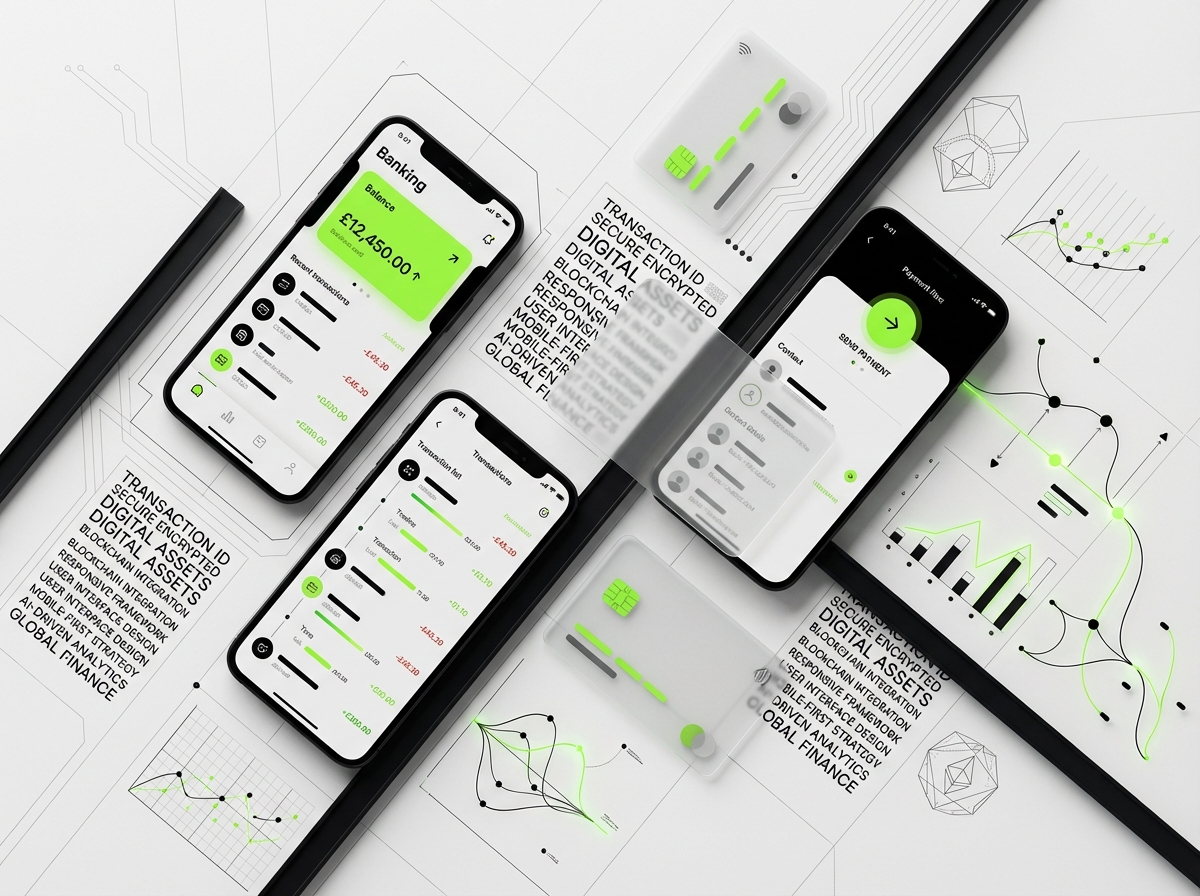
Monzo places their primary card controls (freeze card, view PIN, transaction list) in the easily-reachable lower portion of the screen. Navigation typically anchors to the bottom (iOS convention) or uses floating action buttons (Android pattern). Top corners become real estate for secondary functions like settings or help.
Large touch targets (minimum 44×44 pixels, ideally 48×48) prevent misclicks that could trigger unintended transactions. Adequate spacing between interactive elements reduces errors. These considerations become even more critical for older users or those with motor control challenges.
Optimizing for Interrupted Sessions
Mobile banking sessions are often fragmented, users check balances during commutes, make payments in checkout lines, or transfer money while juggling other tasks. Fintech app design must accommodate these interrupted flows gracefully.
State preservation ensures users don’t lose progress if the app backgrounds. Drafts for partially completed transfers should save automatically. Forms should retain entered data. Users switching briefly to copy account numbers or check email should return exactly where they left off.
Quick actions for common tasks reduce the need for full app sessions. Widgets showing balances, notifications enabling one-tap responses, and Siri/Google Assistant integration let users accomplish simple tasks without opening the app. Bank of America’s widget displays balances instantly, no authentication required for viewing, only for actions.
Biometric Authentication for smooth Security
Touch ID, Face ID, and fingerprint authentication have transformed banking app UX design by eliminating the friction of password entry while maintaining security. Users can authenticate in under a second, making frequent security checks feel painless rather than burdensome.
Implementation best practices include fallback options (PIN or password) when biometrics fail, clear explanation during setup, and session management that balances security with convenience. Apps typically require re-authentication after prolonged inactivity or for sensitive operations (changing security settings, large transfers), but allow quick balance checks without repeated verification.
The design should clearly indicate authentication status, when users are “logged in,” what actions require authentication, and when sessions expire. Ambient security that works invisibly until needed creates the ideal balance of protection and convenience.
Network Resilience and Offline Functionality
Mobile connections are unreliable, users encounter dead zones, slow networks, and intermittent connectivity. Financial apps must handle these scenarios gracefully without data loss or user confusion. Showing cached data with clear indicators (“as of 2 hours ago”) maintains utility while preventing confusion about currency.
Offline queuing allows users to initiate actions without connection, the app queues the request and executes when connectivity returns, providing clear status updates throughout. This is particularly critical for emerging markets where connectivity is inconsistent. M-Pesa’s success in Kenya stems partly from strong offline capabilities designed for challenging network conditions.
Loading states need special attention in financial contexts. Generic spinners create anxiety (“Is my payment processing or frozen?”). Specific, informative loading messages (“Confirming payment with your bank…”) reduce uncertainty. Progress indicators for multi-step processes show users exactly where they are.
Security UX Patterns That Don’t Frustrate Users
Multi-Factor Authentication Done Right
Two-factor authentication (2FA) is essential for financial security, but poorly implemented MFA creates friction that drives users to less secure alternatives. The challenge is making additional security steps feel protective rather than punitive.
Crypto wallet UX design and banking apps increasingly use adaptive authentication, requiring additional verification only when risk indicators are present (new device, unusual location, large transaction). This risk-based approach maintains security without burdening users with constant verification. Google’s advanced protection program shows this, escalating security requirements based on behavioral analysis.
SMS codes remain common but have UX and security limitations, they require app switching, are vulnerable to SIM swapping, and fail without cell coverage. Modern alternatives like push notifications to trusted devices, hardware security keys, or biometric confirmation provide better user experiences. Coinbase’s device confirmation lets users approve logins with one tap on their phone.
Recovery flows deserve special design attention. Users will lose devices, forget passwords, and get locked out. Account recovery must balance security (preventing unauthorized access) with usability (helping legitimate users regain access). Clear instructions, multiple recovery options, and patient progressive disclosure help users navigate stressful situations.
Transparent Transaction Confirmation Flows
Every financial transaction needs explicit confirmation before execution, but confirmation screens often either provide too little information (causing users to confirm blindly) or overwhelm with unnecessary details (causing users to ignore everything).
Effective confirmation design highlights what’s changing, recipient, amount, source account, while deemphasizing constant information (date, transaction ID). Visual hierarchy guides attention to critical details. Venmo shows the recipient’s profile photo and name prominently, making it obvious if you’ve selected the wrong person before sending money.
For large or unusual transactions, adding slight friction actually improves UX by preventing costly mistakes. Some banks require typing the transaction amount to confirm large transfers, forcing conscious attention. This deliberate friction prevents automation errors while clearly communicating “this is serious, pay attention.”
Transaction receipts should be immediately accessible and downloadable. Users need proof of payment for disputes, returns, or record-keeping. Providing instant email receipts, in-app transaction details, and PDF exports covers all bases. The receipt should include everything needed to trace or dispute the transaction later.
Fraud Prevention Without False Positives
Overzealous fraud detection creates terrible UX, legitimate transactions blocked at checkout, cards frozen during travel, users trapped in verification loops. The design challenge is implementing strong security that’s invisible when everything’s legitimate and helpful (not hostile) when something seems wrong.
Proactive communication dramatically improves the blocked transaction experience. Rather than silently rejecting a transaction, apps should immediately notify users (“We blocked a suspicious charge, was this you?”) with easy one-tap confirmation or reversal. This transforms a frustrating block into a demonstration of protective security.
Travel notifications have become standard UX for preventing false positives. Chase and American Express let users pre-register travel plans, reducing the chance of legitimate foreign transactions being flagged. Push notifications confirming unusual purchases (“Did you just spend $800 at Best Buy?”) provide real-time fraud detection with minimal friction.
When fraud is detected, the app should clearly explain what happened, what actions were taken automatically (card frozen, charges reversed), what the user needs to do (confirm recent transactions, order new card), and what timeline to expect. Uncertainty amplifies the stress of fraud, clear communication reduces it.
Privacy Controls Users Actually Understand
Financial apps collect extensive personal and behavioral data. Giving users meaningful control over this data isn’t just regulatory compliance, it builds trust and differentiates brands. The challenge is making privacy controls comprehensible and accessible rather than burying them in settings menus.
Layered privacy controls work best: simple toggles for common choices (marketing communications, data sharing with partners) with deeper settings for granular control. Each option needs plain-language explanation of what it enables and what happens if disabled. “Share data with partners to improve your experience” is vague and suspicious; “Share transaction categories with budgeting tools you connect” is specific and empowering.
Data portability features, letting users export their information, build trust even if rarely used. Knowing you can leave with your data reduces lock-in anxiety. The export should be genuinely useful (standard formats like CSV or JSON, well-organized), not malicious compliance (unusable database dumps).
Privacy dashboards showing exactly what data the company holds, how it’s used, and who it’s shared with create unprecedented transparency. While complex to implement, they differentiate forward-thinking companies and increasingly become competitive advantages as users grow more privacy-conscious.
Common Mistakes in Fintech Design
Overwhelming Users with Features
The temptation in fintech app design is showing complete capabilities, the more features, the more valuable, right? Wrong. Cluttered interfaces with dozens of options create decision paralysis and hide the functions users actually need. Robinhood’s early success stemmed from radical simplification, just buy and sell stocks, nothing else, appealing to users intimidated by traditional trading platforms.
Feature bloat happens gradually as teams add capabilities without removing or consolidating existing ones. Before long, menus have three levels of depth, dashboards show twenty different metrics, and users can’t find basic functions. Regular UX audits identifying unused features and consolidating redundant options maintain simplicity.
Progressive disclosure manages complexity without reducing capability. Hide advanced features behind “see more” or “advanced options,” letting sophisticated users access them without cluttering the default experience. Square’s point-of-sale system does this brilliantly, basic checkout is dead simple, but restaurant-specific features, inventory management, and detailed analytics exist for users who need them.
Neglecting Edge Cases and Error States
Most design effort focuses on the “happy path”, when everything works perfectly. But financial apps must excel precisely when things go wrong. Failed payments, declined cards, insufficient funds, network errors, and account limitations all require thoughtful error handling.
Generic error messages (“Transaction failed”) leave users confused and helpless. Actionable errors explain the problem and suggest solutions: “Payment failed, your card was declined. Try a different payment method or contact your bank.” Even better, the app can offer to automatically retry, use a backup payment method, or save the transaction as pending.
Edge cases multiply in fintech: international characters in names, users with multiple accounts, joint accounts with different permissions, transactions during system maintenance, regulatory holds, disputed charges. Each scenario needs explicit design consideration. Failing to handle these gracefully erodes trust when users most need reliability.
Prioritizing Aesthetics Over Clarity
Beautiful design attracts users, but clarity keeps them. Fintech apps that prioritize visual trendsetting over functional clarity create confusion where users need certainty. Low-contrast text might look sophisticated but fails readability standards. Unconventional icons require interpretation. Hidden navigation creates frustration.
Fintech UI design patterns should lean conservative, use established conventions unless there’s compelling reason to deviate. Users bring mental models from other financial experiences; violating these expectations requires relearning, creating unnecessary cognitive load.
This doesn’t mean fintech design must be ugly or dated. It means aesthetics should enhance clarity rather than compete with it. Monzo achieves both, their app is visually distinctive with its coral branding and card-based layouts, but every element clearly communicates its function. Form and function align perfectly.
Ignoring Performance and Perceived Speed
Users tolerate slow loading for entertainment but not for financial functions. A banking app that takes ten seconds to show a balance feels broken, even if it’s technically working. Performance is UX, particularly for mobile banking UX where users expect instant information.
Optimization strategies include aggressive caching (show last-known balance immediately while fetching updates), skeleton screens (showing layout structure while content loads), and optimistic UI updates (show the transaction as complete immediately, then confirm in background). These techniques make apps feel dramatically faster even when backend processing remains unchanged.
Perceived performance matters as much as actual speed. A blank screen for two seconds feels longer than a skeleton screen with progress indicator for three seconds. Micro-interactions and animations (within reason) disguise loading time. The key is never leaving users staring at static screens wondering if anything is happening.
Underestimating Customer Support Integration
Even perfect design won’t eliminate the need for human support. Financial questions, disputes, and problems often require human judgment. Apps that treat support as afterthought (burying contact information, making it hard to explain problems) create frustration during already-stressful situations.
In-app support chat, ideally with context about what users were doing when they requested help, dramatically improves resolution times. The support interface can automatically include relevant details, what screen they’re on, recent transaction history, account status, preventing users from repeating information.
Self-service support (detailed help centers, transaction-specific FAQs, contextual tooltips) resolves many issues without human contact. But the escalation path to human support must be obvious and easy. Users should never feel trapped by bot loops or impossible-to-find contact information when they need actual help.
Frequently Asked Questions
What makes fintech app design different from other digital product design?
Fintech app design operates under unique constraints that distinguish it from standard digital product design. First, the stakes are dramatically higher, errors don’t just frustrate users, they can cause financial loss, trigger regulatory violations, or expose security vulnerabilities. Second, fintech must navigate complex regulatory requirements (GDPR, PCI-DSS, accessibility laws) that directly impact interface choices. Third, users demand zero learning curve for critical functions despite sophisticated underlying processes. Finally, trust-building is paramount, users won’t adopt financial products without confidence in security, legitimacy, and reliability, making credibility signals essential design components rather than marketing additions.
How can fintech apps build user trust through design?
Trust in financial services app design emerges through multiple design strategies working in concert. Visual credibility comes from professional polish, consistent branding, and recognizable security symbols like SSL certificates and regulatory registrations displayed prominently. Behavioral consistency, predictable interactions, reliable performance, and transparent processes, builds confidence through repeated positive experiences. Progressive trust building through onboarding lets users validate the experience before committing sensitive information. Finally, exceptional error handling transforms problematic moments into demonstrations of reliability by clearly explaining what happened and providing actionable next steps. Companies like Stripe and Revolut exemplify these principles, maintaining user confidence even as they handle sensitive financial operations.
What are the most important security UX patterns for fintech?
Effective security UX balances protection with usability. Adaptive multi-factor authentication adds verification only when risk indicators are present (new device, unusual location, large transaction), maintaining security without constant friction. Biometric authentication (Touch ID, Face ID) enables smooth identity verification that feels effortless. Transparent transaction confirmation highlights critical details (recipient, amount) while requiring explicit approval before execution. Proactive fraud detection communicates immediately when suspicious activity occurs, with easy confirmation or reversal options. Privacy controls must be comprehensible and accessible, using plain language to explain data collection and usage. The goal is making security visible when needed but invisible during normal operations, protective without being punitive.
How do you design for regulatory compliance without sacrificing user experience?
The key is treating compliance as design constraint from project inception rather than bolting requirements onto finished products. GDPR data privacy, PCI-DSS payment security, and accessibility mandates all have specific UX implications that can be elegantly integrated. Successful fintech UI design patterns use clear language rather than legal jargon for consent flows, provide granular privacy controls through intuitive interfaces, and implement accessibility features that improve usability for everyone (not just users with disabilities). Companies like N26 and Monzo demonstrate that regulatory requirements can coexist with elegant experiences when designers understand the “why” behind regulations and design solutions that serve both legal and user needs. Documentation, audit trails, and required disclosures become opportunities to build trust through transparency.
What are common mistakes to avoid in fintech app design?
The most damaging mistakes include overwhelming users with features instead of maintaining simplicity (feature bloat), neglecting error states and edge cases that reveal quality when things go wrong, prioritizing aesthetic trends over functional clarity, underestimating the importance of performance and perceived speed, and treating customer support as afterthought rather than integral experience component. Another critical error is inconsistent security implementation, being either too lax (eroding trust) or too rigid (creating friction that drives users to insecure workarounds). Finally, many teams fail to design for financial literacy gaps, using jargon that confuses less sophisticated users. The antidote is ruthless simplicity, complete edge case testing, and continuous user research with diverse financial knowledge levels.
How important is mobile-first design for fintech applications?
Mobile-first design is essential for modern fintech app design, over 80% of digital banking interactions now happen on mobile devices. Mobile constraints force beneficial design decisions: prioritizing core functions, optimizing for thumb-friendly interaction zones, enabling one-handed use for frequent actions, and ensuring performance on variable network connections. Mobile contexts also demand different considerations, biometric authentication for smooth security, widget integration for quick balance checks, offline functionality for network resilience, and state preservation for interrupted sessions (common when multitasking). Companies building desktop-first and retrofitting mobile consistently deliver inferior experiences compared to mobile-native approaches. However, “mobile-first” doesn’t mean “mobile-only”, complex operations like detailed financial planning or complete transaction research benefit from larger screens and keyboard input.
What role does accessibility play in fintech design?
Accessibility in banking app UX design is both legal requirement and business opportunity. Regulations like ADA and WCAG mandate that financial services must be usable by people with disabilities, making accessibility a compliance issue subject to litigation. Beyond legal necessity, accessible design improves experiences for everyone, high contrast benefits users in bright sunlight, voice controls help users multitasking, and clear typography reduces errors universally. Core accessibility practices include screen reader support with proper semantic HTML and ARIA labels, keyboard navigation for all functions, sufficient color contrast ratios (4.5:1 minimum), adequate touch targets (44×44 pixels), and text alternatives for visual information. Companies that build accessibility into core design from the beginning, rather than retrofitting, create superior products for all users while meeting legal obligations. Capital One and Bank of America exemplify strong accessibility implementation as differentiating features rather than checkboxes.
Conclusion
Fintech app design represents one of the most challenging disciplines in digital product development, demanding simultaneous excellence in trust-building, regulatory compliance, security, and user experience. The financial services brands that will dominate the next decade are those that recognize design not as visual polish applied at project end, but as strategic foundation determining whether users adopt, trust, and remain loyal to their platforms.
The principles outlined here, mobile-first architecture, adaptive security patterns, transparent compliance integration, and relentless clarity, form the baseline for competitive fintech experiences. But exceptional design goes further, anticipating edge cases, accommodating diverse financial literacy levels, and treating every interaction as opportunity to reinforce reliability. Companies like Stripe, Revolut, and Monzo have proven that regulatory constraints and security requirements can coexist with elegant, intuitive experiences when designers understand the “why” behind requirements and craft solutions that serve both users and stakeholders.
Success in fintech design requires specialized expertise spanning traditional UX disciplines, financial services knowledge, regulatory understanding, and security architecture. Whether you’re launching a new mobile banking platform, reimagining payment experiences, or building the next generation of cryptocurrency interfaces, partnering with designers who understand this unique landscape can mean the difference between significant success and costly missteps.
Ready to build a fintech experience that users trust and regulators approve? Contact our team to discuss how strategic design can differentiate your financial product in an increasingly competitive market.
Related Reading
- UI vs. UX Design: Exploring the Differences in User Interface and User Experience Design
- Aesthetics and Functionality in UX Design – User Experience Design
- Design Sprints vs Traditional Agencies: A Cost-Benefit Analysis for Modern Teams