
A Boise team seeking app design Boise support should hire a partner who can turn product goals into tested mobile flows, platform-aware iOS and Android interfaces, a reusable component system, and build-ready specifications. That work gives founders, product leaders, designers, and engineers a shared product model before code locks expensive assumptions into the app.
DesignX works from Boise with senior product and UX/UI designers whose team backgrounds include Apple, Shopify, eBay, and Bodybuilding.com.
- Product decisions before screen production
- Shared product logic with platform-aware iOS and Android behavior
- Prototypes that answer usability and scope questions
- Design-system assets and states engineering can implement
What app design Boise teams should solve before development
A mobile project can look productive while the team avoids the decisions that shape the product. A growing screen count offers little help if no one has settled who the app serves, which action deserves priority, what information each step requires, or how the product responds when something goes wrong.
Senior app design starts with those decisions. The team maps the core job, identifies the riskiest flow, and agrees on the rules behind each state. Designers can then use screens to express a product model instead of decorating a loose set of feature requests.
Mobile work also carries constraints that a broad website brief may miss. Thumb reach, interruptions, permission requests, weak connections, keyboard behavior, and compact screens can change a flow that felt sound in a meeting. Teams that need wider guidance on research, usability, and partner fit can use the DesignX guide to UX design in Boise; this page stays focused on the mobile-product decisions that engineering needs.
Product strategy for a Boise mobile app
A product team uses strategy to turn a promising idea into choices it can test. Start with the user and the moment that brings them to the app. Define the main job in plain language, then trace the smallest credible path from intent to completion.
For each key flow, write down the user goal, the information the app needs, the decision the user must make, and the state the system returns. Include failure paths from the start. An account flow needs plans for invalid credentials, lost access, interrupted verification, and a user who changes devices. A booking flow needs rules for unavailable inventory, declined payment, edits, and cancellation.
These choices affect scope, content, data, and engineering architecture. They also give the team a sound basis for discussing investment. Design detail alone cannot price a product, so use a mobile app design cost guide to frame the variables behind the work, then confirm scope against the actual flows and constraints.
iOS and Android UX/UI: one product, two platform contexts
One team should own the product model across iOS and Android. Users should recognize the same account structure, content priorities, terminology, and service rules on both platforms. The interface can still respect the behavior people expect from each device.
Apple’s Human Interface Guidelines give designers a reference for iOS controls, navigation, input, feedback, and system conventions. Android’s adaptive app guidance shows how teams can account for window size, posture, and device class instead of treating one phone canvas as the whole Android experience.
The design team should document shared rules and platform choices in the same source of truth. A product may keep one information hierarchy while using different navigation treatments. It may share an account-recovery policy while following each platform’s conventions for back behavior, sheets, permissions, and system feedback.
Copying pixels across platforms can make both versions feel wrong. Splitting the work into two unrelated products creates another problem: users receive different rules and engineering maintains avoidable variation. The team can keep product rules consistent while shaping each app around its platform conventions.
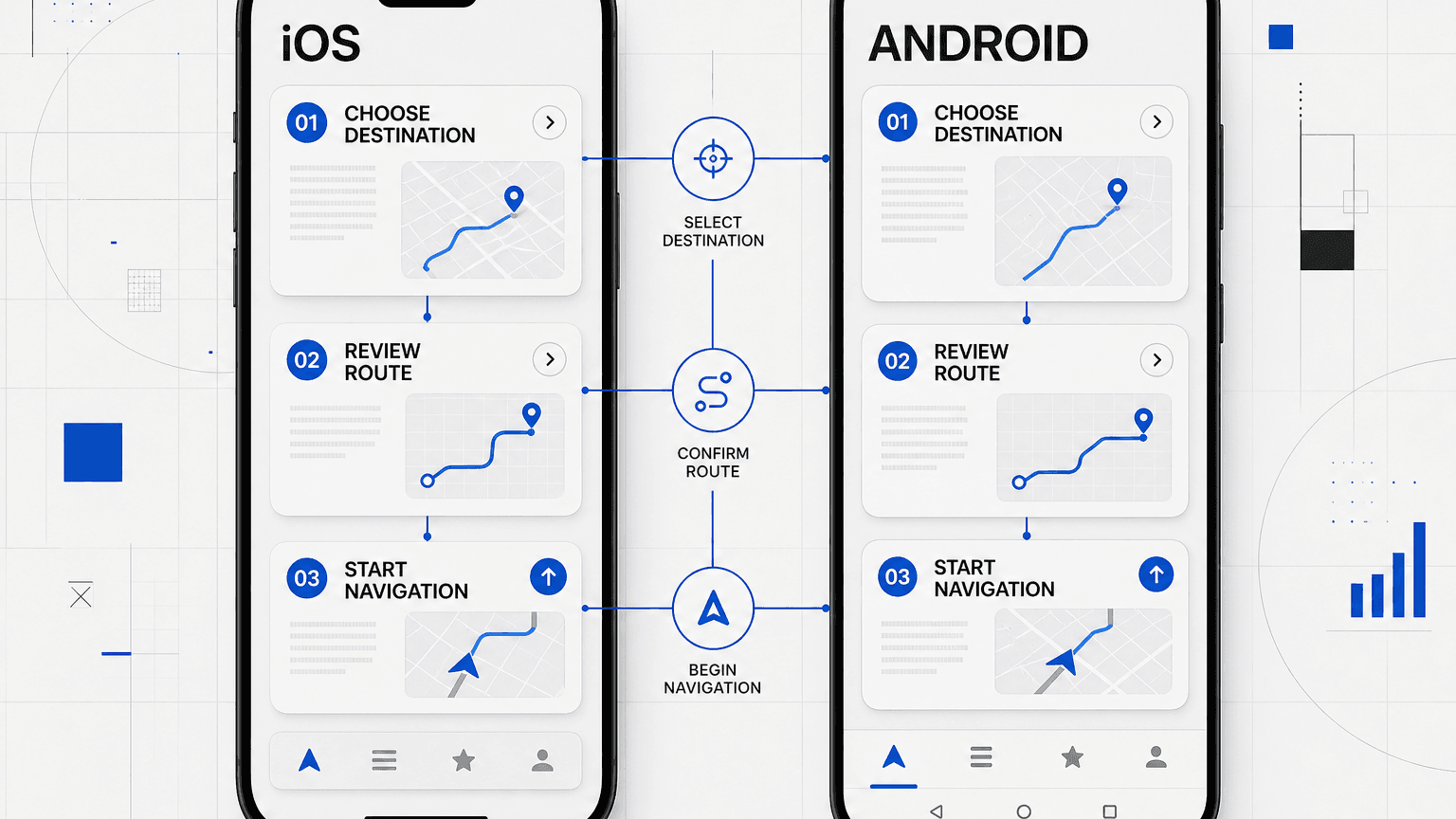
Prototype the risky flows before engineers estimate them
Use a prototype to answer a named question. The team might need to learn whether users understand a new account model, whether a multi-step task feels manageable, whether navigation labels make sense, or whether engineers have enough detail to size the interaction.
Prototype fidelity should match that question. A rough linked flow can expose missing steps and broken information hierarchy. A detailed interactive prototype can test gestures, transitions, input behavior, and dense task sequences. The team should spend detail where uncertainty is high, not spread polish across low-risk screens.
Put realistic content and edge cases into the prototype. A perfect account with short names and complete data hides layout and logic problems. Test long values, empty states, permission denial, errors, slow responses, and a user who returns midway through a task.
Engineering should review the prototype before treating it as an estimate package. That review lets designers answer technical questions, remove impossible interactions, and flag places where product choices remain open. Teams preparing for release can connect this work to the broader decisions in the DesignX app launch agency guide.
A mobile design system that survives implementation
Product teams use a mobile design system to keep a dependable set of decisions. Color and type belong in it, but engineers also need spacing tokens, icons, component anatomy, interaction states, content rules, accessibility notes, and platform variants.
Each component needs a purpose and a defined range. A button entry should show hierarchy, size, labels, loading behavior, disabled behavior, focus treatment, and any platform difference. A form field needs rules for hints, validation, errors, keyboard type, and saved values. Those details help engineers build a component once and reuse it with confidence.
Accessibility belongs in the component definition. The Web Content Accessibility Guidelines 2.2 give teams a source for contrast, focus, target size, input help, and error treatment. Mobile teams should pair that guidance with platform accessibility tools and test the app with screen readers, text scaling, and alternate input.
The system also needs ownership. Designers should record changes, explain deprecated patterns, and resolve new states in the shared library. Engineers should connect coded components to the design source and raise gaps when the product asks for behavior the library does not cover.
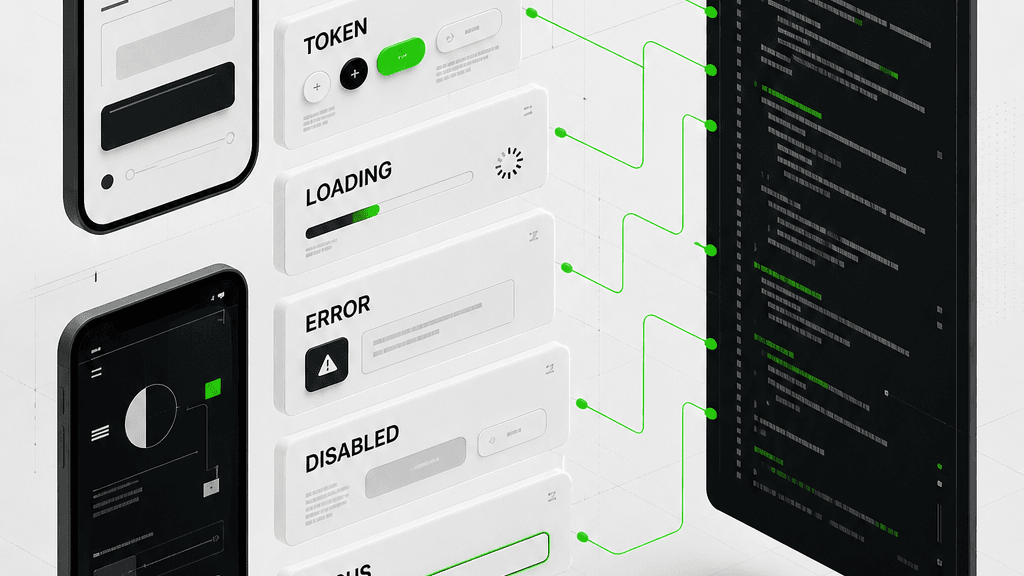
What an implementation-ready app design handoff includes
Designers and engineers should treat handoff as an active review. The team needs the files, the decisions behind them, the unresolved questions, and a way to review the build against the intended behavior.
| Artifact | Decision it records | Engineering use |
|---|---|---|
| Prioritized flow map | User goals, entry points, branches, and completion states | Break work into connected features and dependencies |
| Annotated screen set | Content, hierarchy, controls, and platform behavior | Build each view with less interpretation |
| Interactive prototype | Sequence, gestures, transitions, and response patterns | Review interaction intent and estimate complex flows |
| State inventory | Loading, empty, error, success, permission, and offline behavior | Implement and test conditions beyond the ideal path |
| Design-system library | Tokens, components, variants, and usage rules | Map design parts to reusable code |
| Content and asset package | Approved copy, icons, imagery, and export rules | Use final assets without guessing or rework |
| Accessibility notes | Reading order, labels, focus, scaling, and target behavior | Build and test support for varied access needs |
| Decision log | Accepted constraints, open questions, and named owners | Resolve gaps without losing product context |
Engineers should join the handoff review and walk through the riskiest flow in the source file. Designers can explain intent, engineers can flag technical constraints, and the product owner can decide where a tradeoff changes scope. Record that discussion with the artifacts so later contributors can see the reason behind a choice.
Designers should stay involved during implementation. They can inspect screens at key points, compare behavior across platforms, and record discrepancies as actionable issues. That working relationship keeps product quality in view after handoff.
How DesignX works with Boise product teams
DesignX begins with the product goal, target users, known constraints, and the flow carrying the most risk. Senior designers work through product structure before expanding the screen set. The engagement can cover product strategy, iOS and Android UX/UI, prototyping, a mobile design system, and implementation-ready specifications.
Boise teams get close access to the people making the design decisions. Product leaders and engineers can review flows, question assumptions, and surface technical limits while the work still has room to change. The project should define ownership, review points, and decision makers at the start.
Buyers should inspect relevant work and ask how the team made key product decisions. The Medal.tv mobile app case study offers a view of mobile product design, while the guide to mobile app design agencies in the US gives buyers criteria for comparing possible partners.
Choose an app design Boise partner, not a screen factory
The best app design Boise engagement leaves fewer product questions for engineering to discover in code. Your partner should help the team settle the core flow, test risky interactions, respect iOS and Android behavior, define reusable components, and document the states that make a mobile product work outside the ideal path.
Bring your product goal, target users, riskiest flow, platform plan, and known engineering constraints to a scoping conversation. Talk with DesignX about the right app design scope.
App design Boise FAQs
What does an app design agency in Boise do?
An app design agency helps a product team define user flows, interface behavior, prototypes, reusable components, and build specifications for a mobile product. A senior partner should also help the team settle product rules, edge cases, accessibility needs, and platform differences before engineers commit to an approach.
Should one team design both the iOS and Android app?
One team can protect shared product logic, terminology, content structure, and service rules across both apps. That team should still account for iOS and Android conventions, including navigation, back behavior, permissions, controls, and adaptive layouts, so each app fits its platform context.
How detailed should a mobile app prototype be?
The prototype needs enough detail to answer the question under review. A linked flow may expose missing steps or weak hierarchy, while a high-fidelity interaction may help test gestures, input, transitions, or a complex task. Put the most detail into flows with the greatest product or engineering uncertainty.
What belongs in an app design system?
An app design system should include tokens, typography, icons, spacing, components, variants, interaction states, content rules, accessibility notes, and platform differences. Each component also needs usage guidance so designers and engineers know where it fits and how it behaves under loading, error, disabled, focus, and empty conditions.
What should developers receive at handoff?
Developers should receive prioritized flows, annotated screens, a reviewed prototype, a state inventory, reusable component definitions, approved content and assets, accessibility notes, and a decision log. They also need access to designers for questions and scheduled build reviews so the team can resolve gaps against the source decisions.
Can DesignX also support implementation after app design?
DesignX can scope implementation support or collaborate with the client’s engineering team. The engagement should define ownership, technical constraints, review points, and the expected handoff between design and development before work starts, so each contributor knows who decides, builds, tests, and approves the product.