AI is revolutionizing UX research, dramatically reducing the time required for comprehensive projects. Tasks that previously took weeks, such as recruiting, interviews, and analysis, can now be completed in hours.
Remember when a complete UX research project meant blocking out 6-8 weeks on your calendar? Two weeks for recruiting participants, another week conducting interviews, then the painstaking process of transcription, analysis, and synthesis. By the time you delivered insights, market conditions had shifted and stakeholders were already asking “what’s next?”
AI UX research is fundamentally changing this timeline. What traditionally consumed weeks of manual effort can now be accomplished in hours, without sacrificing depth or quality. From automated competitive analysis to instant interview synthesis, AI user research tools are enabling design teams to move at the speed of modern product development while actually improving the rigor of their findings.
This isn’t about replacing human researchers. It’s about augmenting human insight with machine efficiency, letting you focus on strategy and creative problem-solving while AI handles the heavy lifting of data processing, pattern recognition, and initial synthesis. Whether you’re a solo designer at a startup or leading research at an enterprise, understanding how to use automated UX research is no longer optional, it’s essential for staying competitive.
Why Traditional UX Research Is Too Slow for Modern Product Cycles
The Growing Gap Between Research Timelines and Business Velocity
Traditional UX research methodologies were built for a different era. The standard process, recruit, schedule, conduct, transcribe, analyze, synthesize, present, assumes you have 4-8 weeks to deliver insights. Meanwhile, your engineering team is shipping features every two weeks, your competitors are iterating daily, and stakeholders need answers now.

This velocity mismatch creates a dangerous dynamic. When research takes too long, teams either skip it entirely or make decisions based on assumptions and HiPPO (Highest Paid Person’s Opinion) rather than user evidence. The irony is brutal: the teams who need research most are the ones who feel they can’t afford the time it takes.
The Manual Labor Bottleneck
Traditional research is extraordinarily labor-intensive. A single 60-minute user interview generates roughly 8,000-10,000 words of transcription. Analyzing just 10 interviews means processing 80,000+ words manually, highlighting quotes, tagging themes, cross-referencing patterns.
Even experienced researchers spend 3-5 hours analyzing each hour of interview footage. Scale that across competitive analysis, survey responses, and usability testing, and you’re looking at hundreds of hours of manual work. This bottleneck makes complete research prohibitively expensive for many teams, forcing uncomfortable trade-offs between speed and insight quality.
When Speed Compromises Quality
Faced with tight deadlines, research teams often compromise. Sample sizes shrink from 15 participants to 5. Multi-method studies become single-method snapshots. Deep synthesis gets replaced with surface-level observations.
These compromises don’t just reduce confidence, they increase risk. Launching features based on insights from 5 users instead of 20 means higher chances of missing critical edge cases, underrepresented user segments, or contradictory patterns that only emerge at scale. AI for user interviews and automated analysis tools eliminate this false choice between speed and thoroughness.
AI-Powered Competitive Analysis
Automated Product Teardowns at Scale
AI competitive analysis UX tools can analyze dozens of competitor products simultaneously, identifying patterns humans would need weeks to spot. Tools like Maze’s AI-powered benchmarking and specialized scraping + analysis workflows can evaluate competitor navigation structures, information architecture, conversion funnels, and feature sets in minutes.
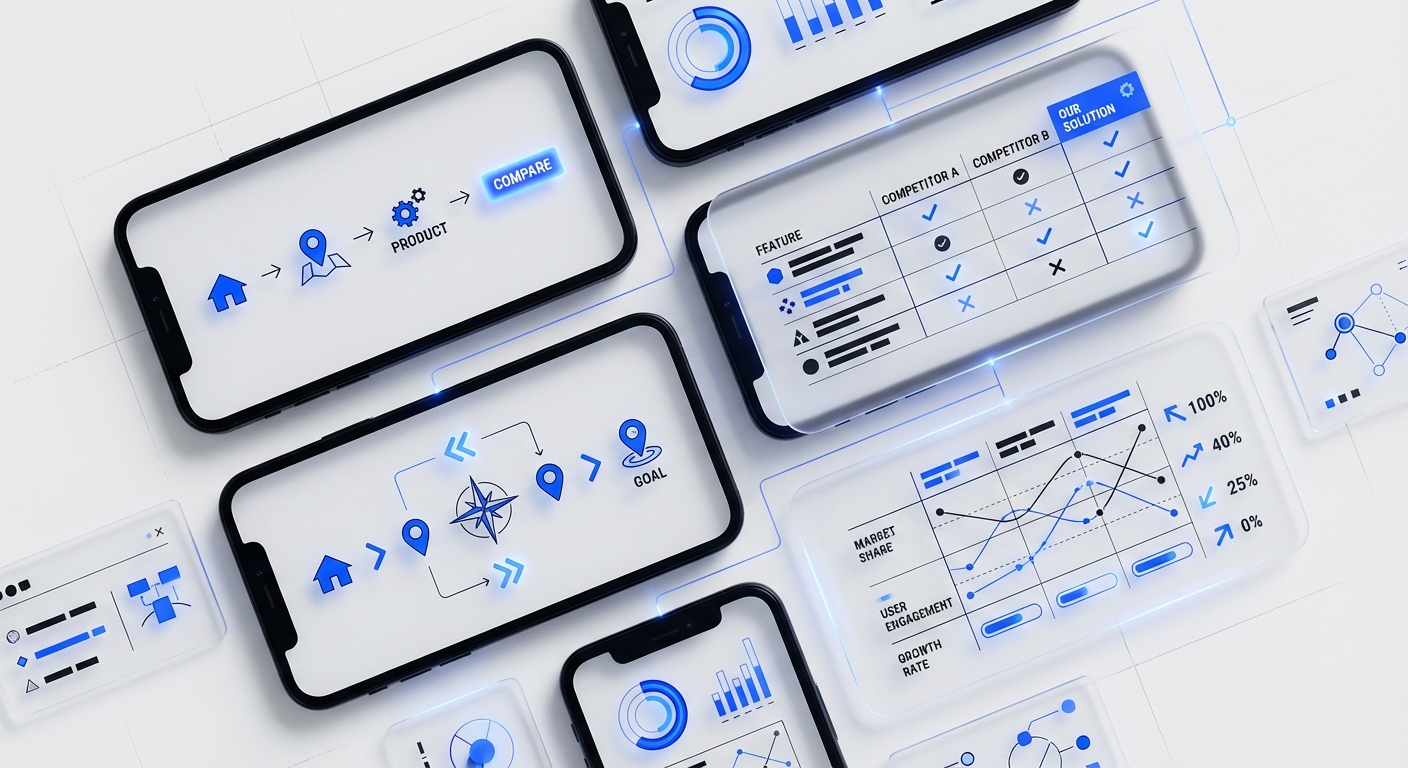
Instead of manually clicking through competitor apps and taking screenshots, AI can systematically catalog UI patterns, track feature evolution over time, and even analyze competitor user reviews for pain points and satisfaction drivers. This creates a living competitive intelligence database that updates automatically, not a static PDF that’s outdated before you present it.
Sentiment Analysis Across Review Platforms
Understanding how users feel about competitor products used to mean reading hundreds of App Store reviews, G2 comments, and Trustpilot feedback manually. AI sentiment analysis tools now process thousands of reviews in minutes, identifying themes like “complicated onboarding” or “excellent customer support” with statistical precision.
Claude for synthesis and similar LLMs can extract nuanced insights from review data, not just positive/negative sentiment, but specific feature requests, usability complaints, and emotional language patterns. You can ask questions like “What do users complain about most in competitor mobile apps?” and get complete, sourced answers in seconds.
Visual Design Pattern Recognition
AI vision models can now analyze competitor interfaces to identify visual design patterns, component usage, and layout trends. Upload screenshots from 20 fintech apps, and AI can catalog button styles, color scheme patterns, card-based vs. list-based layouts, and iconography trends.
This goes beyond manual mood boarding. You’re getting data-driven insights into industry norms, emerging patterns, and differentiation opportunities. When combined with performance data (what converts better), you can make informed design decisions backed by both aesthetic trends and behavioral evidence.
Real-Time Market Monitoring
Set up AI monitoring for competitor product updates, new feature launches, pricing changes, and user sentiment shifts. Instead of quarterly competitive analysis reports, you get real-time alerts when significant changes occur in your competitive landscape.
This continuous intelligence helps you respond quickly to market moves and identify strategic opportunities as they emerge, not months after they’ve become obvious to everyone else in your industry.
AI for User Interview Synthesis and Pattern Recognition
Automated Transcription and Initial Coding
AI user research tools like Dovetail and UserTesting’s AI features now transcribe interviews in real-time with 95%+ accuracy, automatically identifying speakers and generating timestamps. More impressively, they provide initial thematic coding, tagging mentions of specific features, pain points, emotions, and user goals.
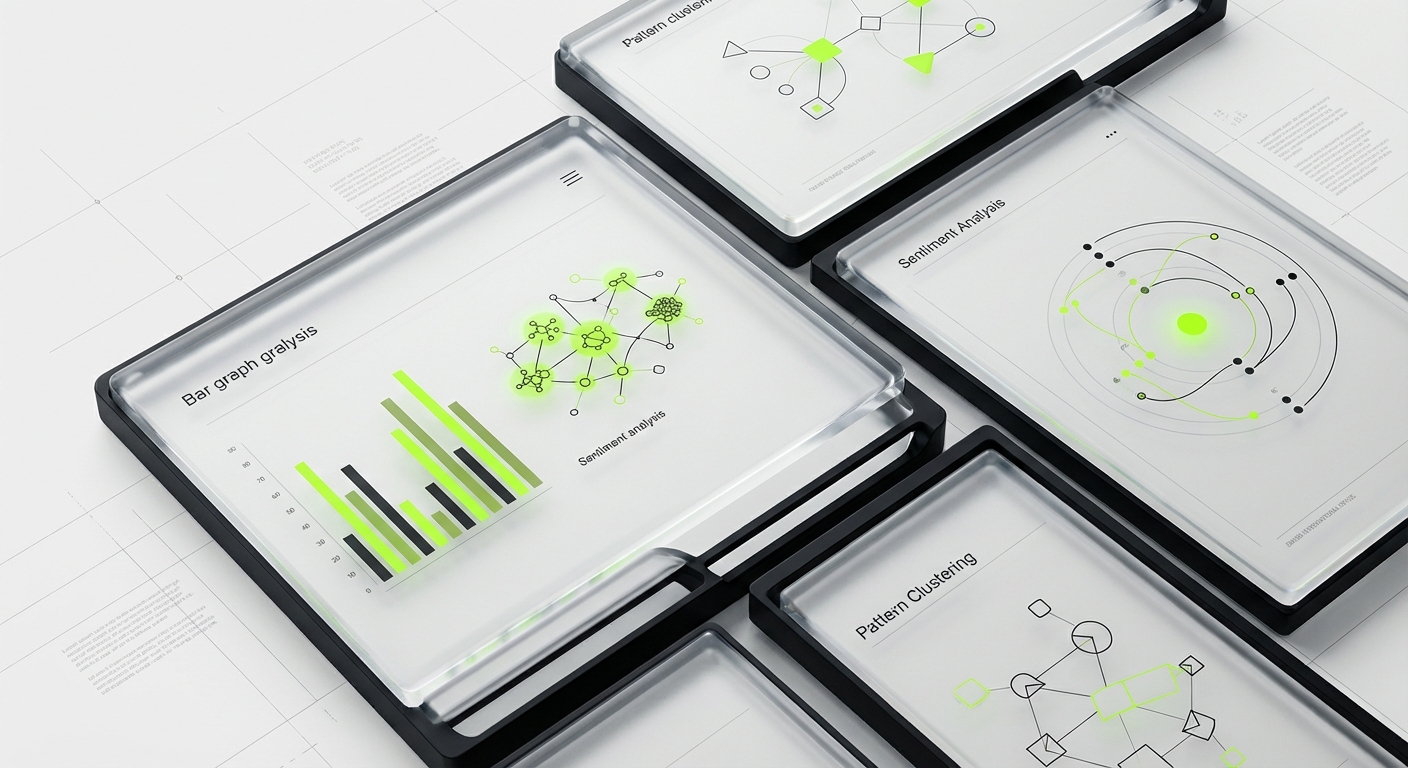
What used to require a researcher listening to each interview multiple times now happens automatically. You can search across 50 interviews for “mentions of onboarding frustration” and instantly see every relevant quote with context. This doesn’t replace human analysis, but it handles the mechanical work so researchers can focus on interpretation and strategic insight.
Cross-Interview Pattern Detection
AI excels at pattern recognition across large datasets. After processing 20+ user interviews, AI can identify themes that appeared in 15% of conversations, contradictory perspectives between user segments, and correlations between user behaviors and satisfaction levels.
Claude for synthesis can analyze your interview transcripts and generate summaries like: “7 out of 12 enterprise users mentioned integration concerns, but only 1 of 8 SMB users raised this issue, suggesting different priority hierarchies by company size.” These statistical patterns would require hours of manual cross-referencing spreadsheets.
Sentiment and Emotion Tracking
Beyond what users say, AI can detect how they say it. Sentiment analysis identifies frustration, excitement, confusion, and confidence in user language. Some tools even analyze vocal tone and video facial expressions to gauge emotional responses during usability testing.
This emotional layer adds depth to behavioral data. A user might complete a task successfully (behavioral pass) while expressing significant frustration (emotional fail), a nuance that’s critical for experience quality but easy to miss in manual analysis focused on task completion rates.
Quote Extraction and Highlight Reels
AI can automatically identify and extract the most compelling user quotes, those vivid, emotionally resonant statements that bring research to life in stakeholder presentations. Tools like Notion AI can summarize key findings and pull representative quotes for each theme.
Some platforms even generate video highlight reels automatically, identifying the 30-second clips that best illustrate each finding. This makes research more accessible and persuasive to stakeholders who don’t have time to watch 10 hours of interview footage.
Automated Survey Analysis and Sentiment Detection
Intelligent Response Categorization
Survey analysis used to mean manually reading through hundreds of open-ended responses and creating coding schemes. AI now categorizes responses automatically, identifying themes, sub-themes, and sentiment at scale.
Automated UX research platforms can process 1,000+ survey responses in minutes, grouping similar feedback, identifying outliers, and quantifying theme frequency. A survey asking “What frustrated you most about the checkout process?” gets automatically categorized into themes like “payment options,” “shipping costs,” “form length,” and “error messages” with statistical breakdowns.
Cross-Tab Analysis and Segment Discovery
AI can automatically analyze survey data across demographic segments, usage patterns, and behavioral variables to identify meaningful differences. Instead of manually creating cross-tabs, AI identifies that “users aged 25-34 prioritize speed while 55+ users prioritize clarity” or “mobile users abandon at shipping while desktop users abandon at payment.”
These segment-specific insights are critical for personalization strategies and often invisible in aggregate data. AI makes this multi-dimensional analysis accessible without requiring advanced statistical skills.
Predictive Satisfaction Modeling
Advanced AI tools can predict user satisfaction and churn risk based on survey response patterns. By analyzing historical correlations between specific feedback patterns and subsequent user behavior, AI can flag high-risk segments before they churn.
This transforms surveys from retrospective measurement into predictive strategy tools. You’re not just learning what users think, you’re identifying which users need intervention and what specific issues to address.
Natural Language Processing for Open-Ended Questions
NLP models excel at analyzing open-ended survey questions, extracting entities (feature names, competitor mentions, specific pain points) and relationships between concepts. Ask users to describe their ideal solution, and AI can identify the most frequently requested features, must-have vs. nice-to-have patterns, and unexpected innovation opportunities.
UserTesting’s AI features and similar platforms now offer semantic analysis that goes beyond keyword matching, understanding that “too complicated,” “confusing interface,” and “steep learning curve” all represent the same underlying usability concern.
AI Persona and Journey Map Generation
Data-Driven Persona Creation
Traditional personas often rely on small sample sizes and researcher intuition. AI can analyze thousands of user data points, interviews, surveys, behavioral analytics, support tickets, to identify statistically significant user segments based on goals, behaviors, and pain points.
AI research synthesis tools can cluster users into meaningful segments automatically, then generate detailed persona profiles including demographic patterns, goal hierarchies, common pain points, and behavioral characteristics. These personas are grounded in quantitative evidence, not assumptions.
Behavioral Pattern Mapping
AI can analyze product analytics to map actual user journeys at scale, not idealized flows, but the messy reality of how users actually navigate your product. Combined with qualitative research, this creates journey maps that reflect both behavioral data (what users do) and experiential data (what users think and feel).
Tools like Dovetail can synthesize interview insights with analytics data to identify critical moments, emotional highs and lows, and points of friction in real user journeys. This evidence-based approach makes journey maps strategic tools rather than speculative artifacts.
Continuous Persona Evolution
Unlike static persona documents that gather dust, AI-powered personas can update continuously as new research data flows in. As you conduct more interviews, collect more surveys, and gather more behavioral data, personas evolve to reflect your growing understanding.
This living documentation approach means your personas stay relevant and accurate rather than becoming outdated snapshots of user understanding from six months ago.
Gap Analysis and Research Prioritization
AI can identify gaps in your persona and journey map coverage, segments you haven’t researched thoroughly, journey stages lacking qualitative data, or contradictions between behavioral and attitudinal data. This helps prioritize future research efforts strategically rather than conducting research randomly or based on stakeholder requests alone.
Balancing AI Speed with Research Rigor
AI as Co-Pilot, Not Autopilot
The goal isn’t to eliminate human researchers, it’s to amplify their capabilities. AI UX research excels at processing, categorizing, and pattern-finding, but humans provide context, critical thinking, and strategic interpretation. Use AI to handle mechanical tasks while you focus on asking better questions, connecting insights to business strategy, and identifying opportunities that require creative thinking.
Think of AI as your research assistant who never sleeps and processes data at superhuman speed, but still needs your guidance on what to analyze, how to interpret ambiguous findings, and how insights connect to your specific strategic context.
Validation and Quality Checks
Always validate AI-generated insights against your own analysis. AI can miss context, misinterpret nuanced language, or identify spurious patterns. Review AI-generated themes, check representative quotes for accuracy, and verify that automated categorizations make sense.
Build validation checkpoints into your workflow: AI processes raw data, you review and refine, AI reorganizes based on your input, you finalize strategic synthesis. This collaborative approach combines AI efficiency with human judgment.
Transparency and Explainability
When presenting research findings based on AI analysis, be transparent about your methodology. Stakeholders should understand which insights came from AI pattern detection versus human interpretation. This builds trust and helps others appropriately weight different types of evidence.
Document your AI tools and processes the same way you document traditional research methods. “We used Claude to synthesize 25 interview transcripts, identifying initial themes that were then validated and refined through manual review” provides the methodological transparency stakeholders need.
Human-AI Collaboration Workflows
Design workflows that use each party’s strengths. AI handles transcription, initial coding, pattern detection, and data aggregation. Humans handle strategic question framing, context interpretation, creative synthesis, and stakeholder communication.
A practical workflow might look like: (1) AI transcribes interviews in real-time, (2) AI generates initial thematic coding, (3) Human researcher reviews and refines themes, (4) AI pulls quotes and data supporting each theme, (5) Human researcher synthesizes strategic insights and recommendations, (6) AI formats deliverables and generates stakeholder-friendly visualizations.
AI Research Pitfalls to Avoid
Over-Reliance on Pattern Detection
AI identifies patterns in your data, but not all patterns are meaningful. Statistical correlations don’t automatically equal strategic insights. Just because 40% of users mentioned “mobile app” doesn’t mean building a mobile app is your highest priority. Human judgment is required to distinguish signal from noise and prioritize based on business strategy, technical feasibility, and user impact.
Avoid: Letting AI-identified themes automatically become your roadmap priorities without critical evaluation and strategic filtering.
Context Collapse and Nuance Loss
AI summarization is incredibly efficient but can strip away important context and nuance. A user might say “I love the design” sarcastically, or their frustration might be product-specific versus category-wide. AI can miss these subtleties, especially in text-only analysis without vocal tone or facial expression data.
Mitigation: Always review source material for critical insights. Don’t rely solely on AI-generated summaries for strategic decisions. Click through to actual quotes and watch actual video clips for high-priority findings.
Bias Amplification
AI models trained on historical data can perpetuate and amplify existing biases. If your past research over-represented certain user segments, AI pattern detection will weight those perspectives more heavily. If training data contains biased language or assumptions, AI outputs will reflect those biases.
Solution: Actively audit your research inputs for demographic and behavioral diversity. Review AI outputs for bias patterns. Use diverse training data and regularly validate AI findings against underrepresented user segments.
Privacy and Ethical Concerns
Processing user data through AI platforms raises privacy considerations. Ensure your AI tools comply with GDPR, CCPA, and other data protection regulations. Be transparent with research participants about how their data will be processed. Anonymize personal information before feeding data into AI systems.
Best practice: Review terms of service for AI tools to understand data handling, storage, and usage policies. Choose enterprise tools with strong privacy commitments and data processing agreements.
Hallucination and Fabricated Insights
Large language models can “hallucinate”, generating plausible-sounding insights that aren’t actually grounded in your data. An AI might confidently state that “85% of users want dark mode” when no user actually mentioned this, because dark mode is a common feature request in its training data.
Prevention: Always trace AI-generated insights back to source evidence. Ask AI to cite specific quotes or data points. Verify statistical claims against actual data. Be especially skeptical of suspiciously confident or overly convenient findings.
Tool Overload and Workflow Fragmentation
The AI research tool landscape is exploding. It’s tempting to use 10 different specialized tools, but this creates integration headaches and workflow fragmentation. Data scattered across platforms makes synthesis harder, not easier.
Recommendation: Build a core stack of 2-4 integrated tools rather than chasing every new AI feature. Prioritize tools that integrate with your existing workflow and with each other. Notion AI, Dovetail, and Claude can handle 80% of use cases without requiring constant platform-switching.
Frequently Asked Questions
Can AI completely replace human UX researchers?
No, and that’s not the goal. AI UX research tools excel at data processing, pattern recognition, and mechanical tasks, but human researchers provide strategic thinking, contextual interpretation, creative problem-solving, and stakeholder collaboration that AI cannot replicate. The future is human-AI collaboration, not replacement. AI handles the tedious work so researchers can focus on higher-value strategic activities.
What’s the learning curve for implementing AI research tools?
Most modern AI user research tools are designed for accessibility. Platforms like Dovetail and Maze offer intuitive interfaces that researchers can learn in days, not months. The bigger learning curve is methodological, understanding when to trust AI outputs versus when to apply human judgment. Expect 2-4 weeks to become proficient with basic AI research workflows, and ongoing learning as tools evolve.
How much does AI research tooling cost?
Pricing varies widely. Entry-level AI transcription and analysis tools start around $30-50/month for individual plans. Professional platforms like Dovetail and UserTesting range from $200-500/month for team plans. Enterprise solutions with advanced AI features can reach $1,000-3,000+/month. However, consider the ROI: if AI saves 20 hours per research project, the cost pays for itself quickly compared to researcher salary costs.
What if my company has strict data privacy requirements?
Choose enterprise-grade automated UX research platforms with strong security certifications (SOC 2, GDPR compliance, data processing agreements). Many tools offer on-premise or private cloud deployments for sensitive data. You can also use anonymization workflows, stripping personally identifiable information before AI processing. For extremely sensitive contexts, consider self-hosted open-source AI models rather than cloud-based services.
How do I convince stakeholders to trust AI-generated insights?
Transparency and validation are key. Show stakeholders your methodology: how AI processed data, how you validated findings, where human interpretation added strategic value. Start with pilot projects where you run both traditional and AI-augmented research in parallel, comparing results. Most stakeholders care about insight quality and speed, demonstrate that AI research synthesis delivers both, and adoption follows naturally.
Which AI research tools should I start with?
Begin with tools that address your biggest bottleneck. If transcription is your pain point, start with AI transcription (Otter.ai, Dovetail). If synthesis takes too long, try Claude for synthesis or Notion AI for processing transcripts. If competitive analysis is manual drudgery, explore AI web scraping + analysis tools. Don’t try to implement everything at once, pick one workflow, master it, measure impact, then expand.
Can AI help with quantitative research, or just qualitative?
AI excels at both. For quantitative research, AI automates statistical analysis, identifies significant patterns, generates visualizations, and even predicts future behavior based on historical data. For qualitative research, AI handles transcription, coding, theme identification, and quote extraction. The most powerful approaches combine both, using AI to find quantitative patterns in behavioral data, then using AI to analyze qualitative research that explains the “why” behind those patterns.
Conclusion
The UX research landscape is undergoing its most significant transformation in decades. AI UX research isn’t a future possibility, it’s a present reality that leading design teams are already use to move faster, dig deeper, and deliver more strategic insights than traditional methods alone could provide.
The teams that will thrive in this new era aren’t those who resist AI out of fear that it will replace human researchers. They’re the ones who embrace AI as a powerful collaborator that handles mechanical work so humans can focus on strategic thinking, creative problem-solving, and nuanced interpretation that machines can’t replicate.
Start small. Pick one workflow bottleneck, maybe transcription, maybe competitive analysis, maybe survey coding, and introduce an AI tool to address it. Measure the time savings and quality improvements. Build confidence through validation and experimentation. Gradually expand your AI toolkit as you discover what works for your specific context.
The alternative is falling behind. While you’re spending six weeks on research the traditional way, your AI-augmented competitors are running three research cycles in the same timeframe, iterating faster, learning more, and building better products.
Ready to transform your UX research workflow? At designx.co, we help design teams implement AI-powered research processes that deliver enterprise-quality insights at startup speed. Contact us to explore how AI user research tools can accelerate your product development without compromising research rigor.