AI-generated UI design tools like v0 and Galileo offer impressive speed but can lead to accessibility failures or broken designs. Understanding when to leverage AI and when to involve human designers is crucial.
That sleek landing page generated by AI in 30 seconds looks impressive, until your users can’t figure out how to complete checkout. Or the color contrast fails accessibility standards. Or the design breaks completely on iPad.
AI generated UI design has exploded in capability over the past two years, with tools like v0, Galileo, and Uizard promising professional interfaces in minutes instead of weeks. But the gap between “looks good in a screenshot” and “works flawlessly in production” remains wider than most founders realize. The question isn’t whether AI can design interfaces, it’s whether it should for your specific use case.
This article breaks down exactly what AI UI generators can and cannot do in 2026, where they excel, where they catastrophically fail, and how smart teams are combining AI speed with human expertise. Whether you’re a startup founder weighing costs or a product manager exploring tools, you’ll learn when automated design makes sense and when skipping the human designer becomes an expensive mistake.
What AI UI Generators Can Actually Do in 2026
The current generation of AI design tools has moved far beyond simple template filling. Understanding their real capabilities, not the marketing hype, is essential for making informed decisions.
Text-to-Interface Generation
Modern AI website design tools can transform written descriptions into functional code. Platforms like v0 by Vercel and Bolt generate React components from prompts like “create a pricing table with three tiers and toggle for monthly/annual billing.”
The output includes working code, responsive layouts, and even basic interactions. v0 can iterate on designs through conversational refinement, while Bolt deploys full-stack applications directly. For straightforward UI patterns, dashboards, forms, landing pages, these tools produce surprisingly usable results in minutes.
However, the quality ceiling is low. These tools excel at common patterns because they’re trained on common examples. Request anything outside standard conventions, and you’ll get generic approximations rather than thoughtful solutions.
Component-Level Design Systems
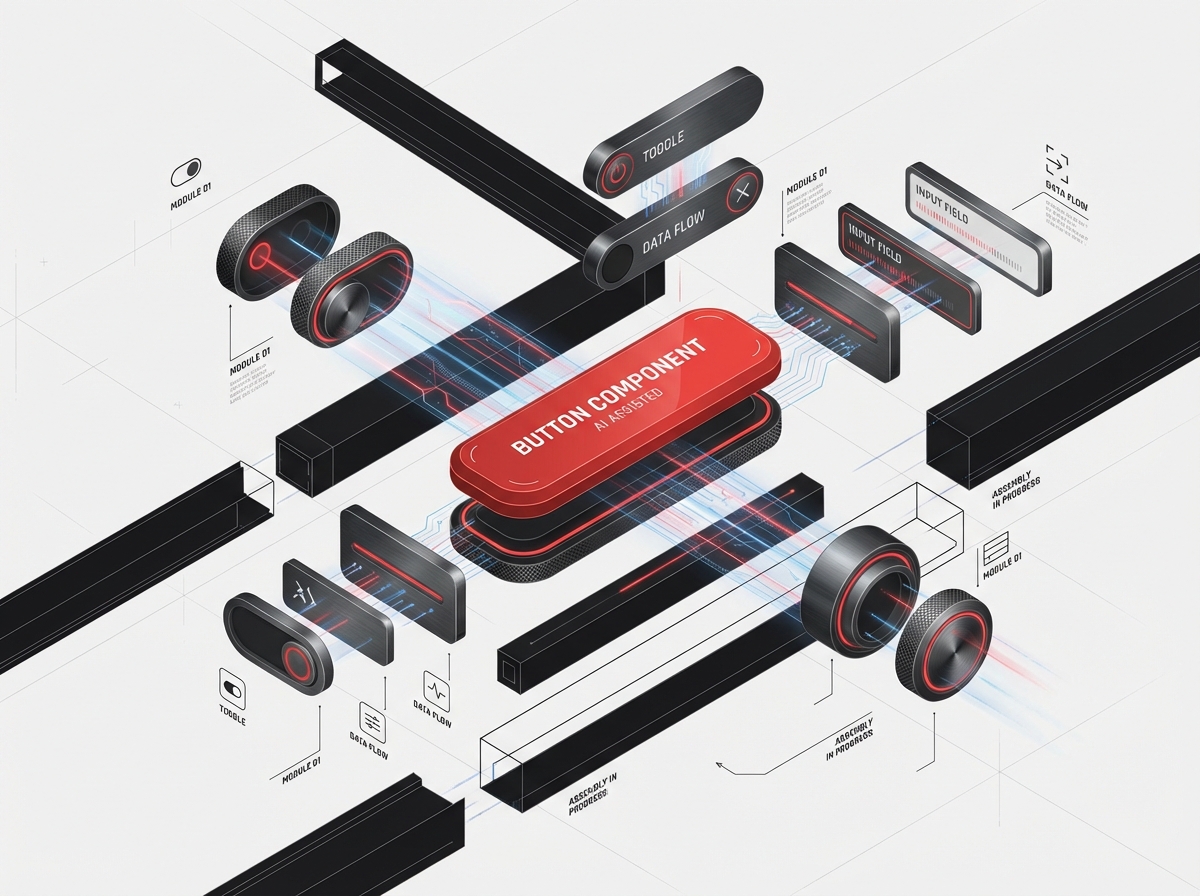
Tools like Galileo AI and Uizard focus on generating design system components rather than full pages. You can specify “design a button component with primary, secondary, and tertiary variants” and receive Figma-compatible designs.
This approach works well for internal tools where design consistency matters more than brand distinction. The AI understands spacing systems, typography hierarchies, and state variations (hover, active, disabled). It can even maintain consistency across dozens of components.
The limitation: these components feel algorithmically safe. They follow best practices so rigidly that everything looks like a polished Bootstrap clone. There’s competence but no character.
Layout and Spacing Automation
Perhaps the most genuinely useful capability is automated layout adjustment. AI tools now handle responsive breakpoints, spacing consistency, and alignment with surprising reliability. Upload a desktop design, and tools like Uizard will generate tablet and mobile variants that actually work.
This eliminates hours of tedious layout adjustment, work that even senior designers find repetitive. The AI understands that a three-column grid should collapse to single-column on mobile, that touch targets need minimum sizes, and that text should reflow sensibly.
Where it stumbles: complex information hierarchies. AI struggles to determine which content matters most on mobile, leading to strange prioritization decisions when space gets tight.
Pattern Recognition and Replication
Feed an AI UI generator examples of your existing designs, and it can replicate visual patterns across new screens. This works remarkably well for maintaining consistency in multi-page flows, if you’ve designed screens 1-3 of an onboarding flow, AI can draft screens 4-7 in matching style.
The catch: it replicates exactly what it sees, including your mistakes. If your example screens have accessibility issues or awkward interactions, the AI will faithfully reproduce those problems throughout.
Where AI-Generated UI Excels
Despite limitations, there are scenarios where automated UI design is not just adequate, it’s often the smartest choice.
Rapid Prototyping and Concept Validation
When you need to test product concepts with users quickly, AI-generated interfaces are significant. Why spend three days designing five navigation variants when v0 can generate them in an hour?
For early-stage validation, visual polish is often counterproductive. Lo-fi prototypes communicate “this is rough, focus on functionality” while polished designs trigger aesthetic debates. AI hits this sweet spot naturally, good enough to be interactive, rough enough to keep feedback focused.
Teams at YC-backed startups regularly use Galileo for first-draft prototypes, then involve designers only after validating core assumptions. This compresses discovery timelines from weeks to days.
Internal Tools and Admin Dashboards
Your customer-facing product needs brand consistency and polish. Your internal inventory management system? It needs to work, period.
AI generated UI design is perfect for internal tools where users prioritize function over form. Operations teams don’t care if the warehouse dashboard looks generic, they care about clear data tables, functional filters, and reliable performance. AI excels at these utilitarian interfaces.
One SaaS company we consulted generated their entire admin panel using Bolt, saving an estimated $40,000 in design and development costs. The interface is aggressively boring and perfectly adequate.
MVP Development with Limited Budgets
Pre-funding startups face brutal resource constraints. Spending $15,000 on UI design before validating product-market fit is often premature.
For true MVPs, products designed to test hypotheses, not scale, AI tools provide a defensible middle path. Use Uizard to generate a functional interface, spend your limited budget on critical UX research and positioning strategy, then redesign properly once you’ve raised capital.
This approach fails when founders mistake “MVP” for “permanent product.” AI-generated designs rarely scale gracefully, plan for a redesign, not iteration.
Template-Based Projects with Standard Patterns
Some projects are inherently pattern-based: documentation sites, simple portfolios, standard SaaS landing pages. When your needs align perfectly with established conventions, AI tools deliver excellent value.
A marketing landing page template generated by AI and refined for brand consistency can launch in days instead of weeks. The key word: template. If your project is genuinely generic, generic tools work great.
Where AI-Generated UI Falls Short
Understanding failure modes is more valuable than celebrating capabilities. Here’s where AI vs human designer gaps become critical.
Brand Consistency and Identity
AI can replicate brand elements, your colors, fonts, logo placement. It cannot embody brand essence. The difference between a financial app that feels trustworthy versus one that feels generic is invisible to algorithms.
Brand consistency isn’t about using the right hex codes. It’s about proportions, white space philosophy, interaction personality, and dozens of micro-decisions that communicate positioning. Should buttons feel substantial or nimble? Should animations be playful or subdued?
AI makes these decisions randomly or based on training data averages. The result: interfaces that could belong to anyone. For companies where brand differentiation drives value, premium products, lifestyle brands, design-forward startups, this mediocrity is disqualifying.
Accessibility and Inclusive Design
This is where AI design quality problems become ethical issues. Current AI tools consistently fail accessibility standards:
- Color contrast ratios that fail WCAG AA guidelines
- Keyboard navigation that skips or traps focus
- Screen reader markup that’s technically present but practically useless
- Touch targets below minimum size recommendations
- No consideration for motion sensitivity or cognitive load
An AI might generate a beautiful dropdown menu that’s completely unusable for keyboard-only users. It might create a form that works perfectly until someone uses a screen reader and discovers fields aren’t properly labeled.
Human designers trained in accessibility catch these issues intuitively. AI treats accessibility as checkbox compliance rather than holistic inclusivity. For products serving diverse user bases, especially government, healthcare, or education, this gap creates legal risk and moral failure.
Edge Cases and User Flow Complexity
AI excels at happy paths, the 80% of interactions where everything goes right. It’s catastrophically bad at edge cases:
- What happens when a username is 47 characters long?
- How does the interface handle loading states, error states, empty states?
- What if a user has 200 items in their cart versus 2?
- How do you display validation errors for a 20-field form?
AI UI generators default to optimistic scenarios because their training data emphasizes polished marketing screenshots, not error handling documentation. A human designer systematically considers failure modes; AI hopes they won’t happen.
One e-commerce client launched with AI-generated checkout screens that looked perfect, until cart quantities exceeded two digits and broke the entire layout. The bug cost $80,000 in lost revenue before developers could fix it.
Context-Aware Problem Solving
Great design responds to specific user contexts, business constraints, and technical realities. AI can’t ask clarifying questions: “Are most users accessing this on corporate networks with strict security policies?” or “Does your support team have capacity to handle confusion here?”
When a human designer suggests unconventional navigation, they’re weighing user research, analytics, and strategic goals. When AI does it, it’s pattern-matching gone wrong. The difference: judgment.
The Hybrid Approach: AI + Human Designer
The smartest teams treat AI as a tool for designers, not a replacement. This hybrid model captures AI speed while maintaining human judgment.
AI for First Drafts, Humans for Refinement
Start with an AI website design tool to generate initial layouts and component structures. This eliminates blank-canvas paralysis and provides a concrete starting point.
Then, human designers refine:
- Adjusting proportions and white space for brand consistency
- Redesigning information hierarchy based on user priorities
- Adding personality through micro-interactions and illustrations
- Fixing accessibility issues and edge case handling
This approach compresses timelines by 40-60% compared to starting from scratch. The designer spends time on judgment-intensive work rather than repetitive layout tasks.
Human Strategy, AI Execution
Reverse the workflow: human designers create high-level design systems, guidelines, and key screens. Then AI tools generate variations and secondary screens based on those patterns.
A fintech company used this approach successfully: their design team created the core app screens (onboarding, dashboard, transaction flow) with meticulous attention to brand and accessibility. Then they used Galileo to generate 40+ administrative and settings screens following the established system.
Result: cohesive experience across 50+ screens, completed in half the typical timeline and budget.
AI for Exploration, Humans for Decision
Use AI to rapidly generate 10-15 layout variations for complex screens. Human designers review the options, identifying promising directions and problematic patterns.
This treats AI as an infinitely patient junior designer, great at exploration, terrible at evaluation. The human designer makes strategic decisions informed by business context, user research, and experience that AI cannot access.
Continuous AI Assistance in Design Workflows
Modern design tools increasingly embed AI assistance: Figma’s AI features suggest spacing adjustments, flag accessibility issues, and generate placeholder content. This continuous assistance model differs from “AI designs everything” approaches.
Think spellcheck for design, the AI catches obvious errors and handles tedious tasks while the human maintains creative control. This is the likely future: AI augmentation, not AI replacement.
Cost Comparison: AI-Only vs Agency vs Hybrid
Understanding true costs requires looking beyond sticker prices to opportunity costs, revision cycles, and long-term maintainability.
AI-Only Approach: $0-$500
Tools cost: Most AI UI generators offer free tiers; premium plans run $20-$80/month.
Time investment: Expect 10-40 hours of founder/developer time learning tools, generating designs, and iterating. At $100/hour opportunity cost, that’s $1,000-$4,000 in hidden costs.
Best for: Internal tools, throwaway prototypes, pre-funding MVPs where polish doesn’t impact conversion.
Hidden costs: Redesign expenses when scaling (typically $15,000-$40,000), lost revenue from poor UX, accessibility remediation if needed.
Professional Agency: $15,000-$80,000
Typical range: Landing pages ($5,000-$15,000), mobile apps ($25,000-$60,000), complex web applications ($40,000-$150,000).
What you get: Strategic research, brand-aligned design systems, accessibility compliance, developer handoff documentation, revision rounds.
Timeline: 4-12 weeks depending on scope.
Best for: Customer-facing products where design quality impacts revenue, regulated industries requiring accessibility compliance, brands where differentiation matters.
ROI consideration: For SaaS products, professional design typically improves conversion by 30-100%. On a product with $500K annual revenue potential, even a 20% conversion improvement pays for a $30,000 design investment in months.
Hybrid Approach: $5,000-$25,000
Structure: AI generates initial layouts and variations ($0-$500), human designer provides 20-60 hours of strategic refinement and quality assurance ($5,000-$25,000).
What you get: 60-70% of full agency quality at 40-50% of the cost, compressed timelines.
Best for: Startups post-funding but pre-product-market-fit, digital products with standard patterns but brand requirements, teams willing to accept “very good” instead of “exceptional.”
The catch: Requires designers comfortable with AI tools and willing to work in refinement mode. Not all agencies offer this model yet.
Build vs Buy Decision Framework
Choose AI-only if:
- Your users will never see it (internal tools)
- You’re testing hypotheses, not launching products
- You have zero budget and strong technical skills
- Design quality won’t impact your core metrics
Choose hybrid if:
- You have limited budget ($10K-$30K) but design matters
- You need reasonable quality quickly
- Your product follows standard patterns with brand requirements
- You can articulate clear design requirements
Choose full agency if:
- Design quality directly impacts revenue
- You’re in a competitive market where UX is differentiating
- Accessibility compliance is legally required
- You need strategic guidance, not just execution
- Your budget allows investment in quality
Red Flags in AI-Generated Designs
Learn to spot problematic AI outputs before they become expensive problems.
Suspiciously perfect symmetry: Real interfaces accommodate messy content. If every card has exactly three bullet points and perfectly balanced text, it’s optimized for screenshots, not real data.
Generic illustrations and stock imagery: AI defaults to safe, forgettable visuals. If every illustration could appear on any SaaS site, you’re not building brand recognition.
Inconsistent interaction patterns: Check whether buttons, links, and interactive elements behave consistently throughout. AI often generates each screen independently, creating subtle interaction inconsistencies.
Accessibility Theater: Alt text that says “image” instead of describing content, color contrast that barely passes automated checks, keyboard navigation that technically works but feels broken, these suggest AI checkbox compliance rather than genuine accessibility.
Missing states: If the design only shows success states, no loading spinners, error messages, empty states, or edge cases, it’s not production-ready.
Responsive design that “works”: AI-generated responsive designs often technically function on mobile but make bizarre decisions about what to hide, stack, or shrink. Always test on real devices, not just browser resizing.
Design system inconsistency: Spacing that varies randomly (16px here, 18px there, 14px somewhere else), typography hierarchies that aren’t systematic, color values that don’t follow a coherent palette.
Frequently Asked Questions
What AI UI Generators Can Actually Do in 2026?
The current generation of AI design tools has moved far beyond simple template filling. Understanding their real capabilities, not the marketing hype, is essential for making informed decisions. Text-to-Interface Generation Modern AI website design tools can transform written descriptions into functional code. Platforms like v0 by Vercel and Bolt generate React components from prompts like “create a pricing table with three tiers and toggle for monthly/annual billing.” The output includes working code, responsive layouts, and even basic interactions. v0 can iterate on designs through conversational refinement, while Bolt deploys full-stack applications directly.
Where AI-Generated UI Excels?
Despite limitations, there are scenarios where automated UI design is not just adequate, it’s often the smartest choice. Rapid Prototyping and Concept Validation When you need to test product concepts with users quickly, AI-generated interfaces are significant. Why spend three days designing five navigation variants when v0 can generate them in an hour? For early-stage validation, visual polish is often counterproductive.
Where AI-Generated UI Falls Short?
Understanding failure modes is more valuable than celebrating capabilities. Here’s where AI vs human designer gaps become critical. Brand Consistency and Identity AI can replicate brand elements , your colors, fonts, logo placement. It cannot embody brand essence .
What should teams know about AI + human designer?
The smartest teams treat AI as a tool for designers, not a replacement. This hybrid model captures AI speed while maintaining human judgment. AI for First Drafts, Humans for Refinement Start with an AI website design tool to generate initial layouts and component structures. This eliminates blank-canvas paralysis and provides a concrete starting point.
What should teams know about AI-only vs agency vs hybrid?
Understanding true costs requires looking beyond sticker prices to opportunity costs, revision cycles, and long-term maintainability. AI-Only Approach: $0-$500 Tools cost: Most AI UI generators offer free tiers; premium plans run $20-$80/month. Time investment: Expect 10-40 hours of founder/developer time learning tools, generating designs, and iterating. At $100/hour opportunity cost, that’s $1,000-$4,000 in hidden costs.
Conclusion
AI generated UI design has evolved from gimmick to genuinely useful tool, but it remains exactly that: a tool, not a replacement for strategic design thinking. The platforms are impressive, the output is often surprisingly good, and the cost savings are real for specific use cases.
The critical insight: AI excels at pattern replication and mechanical execution. It fails at judgment, brand expression, accessibility depth, and context-aware problem-solving. These aren’t temporary limitations waiting for GPT-6 to solve, they’re fundamental differences between pattern matching and human understanding.
Smart teams use AI to compress timelines and reduce costs on low-stakes design work while investing human expertise where it matters: customer-facing products, brand differentiation, and experiences that drive business outcomes.
If you’re building internal tools or testing early concepts, AI generators are powerful allies. If you’re launching products where design quality impacts revenue, professional design isn’t an expense, it’s an investment with measurable returns.
At DesignX, we use AI tools extensively in our process, for rapid exploration, layout variations, and mechanical tasks. But we’ve learned that AI works best under human direction, translating strategic vision into polished execution. The tools accelerate our work; they don’t replace the judgment, research, and brand thinking that create effective interfaces.
Ready to build interfaces that convert? Explore our approach to combining AI efficiency with human expertise, or let’s talk about whether your project needs professional design, smart AI usage, or both.