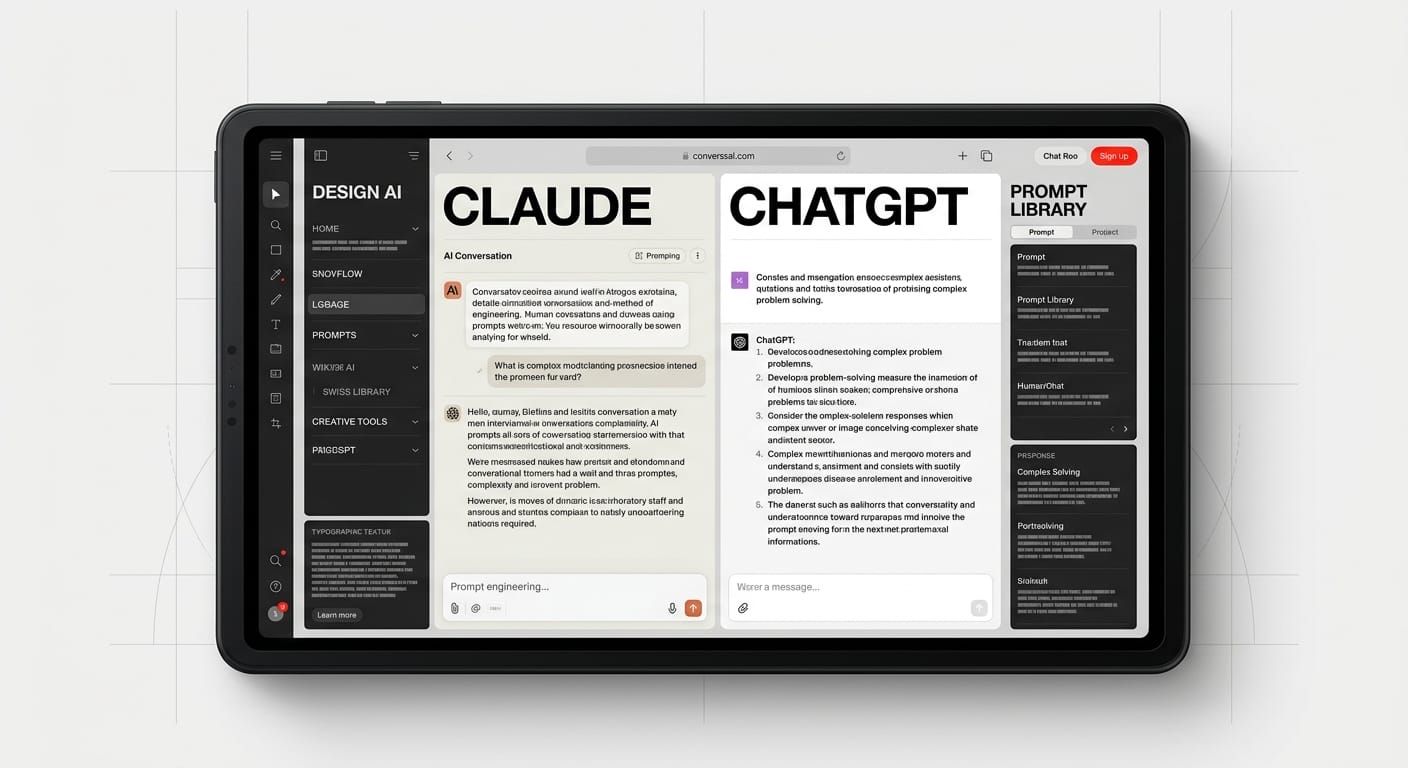
AI chatbots like Claude and ChatGPT are transforming the UX/UI design process. These large language models serve as a Swiss Army knife, enhancing everything from user research to documentation.
ChatGPT for designers isn’t just another tech trend, it’s the Swiss Army knife you didn’t know your design toolkit was missing. While developers have been use AI chatbots for code generation, designers are discovering that Large Language Models (LLMs) like ChatGPT, Claude, and Gemini can transform every stage of the design process, from user research to documentation.
The truth is, most designers are either ignoring AI assistants entirely or using them for basic tasks like “write me a button label.” That’s like using a smartphone only to make calls. This guide will show you exactly how to integrate AI chatbot design workflow strategies into your daily practice, with real prompts you can copy-paste today.
Whether you’re conducting user interviews, generating personas, writing microcopy, or documenting design systems, using LLMs for UX can cut hours from your workflow while actually improving quality. No hype, no theory, just practical techniques that work.
Why Designers Should Use LLMs (Not Just Developers)
Design Problems Are Language Problems
Most design challenges involve communication, not code. You’re naming features, explaining user flows, articulating design decisions, and translating business requirements into human experiences. AI assistant for designers tools excel at exactly these language-heavy tasks.
Think about your last project. How much time did you spend writing, rewriting, and debating the perfect error message? Or struggling to articulate why a design decision works? LLMs can generate 10 variations in seconds, each with different tones and approaches, giving you a starting point instead of a blank page.
Speed Without Sacrificing Quality
The biggest misconception about AI in design is that it replaces creativity. In reality, it replaces the tedious parts, the repetitive writing, the formatting, the “I need 5 more variations of this heading” grind. You still make all the creative decisions. You’re just making them faster.
One designer we work with cut persona generation time from 3 hours to 30 minutes using Claude for design work. Another uses ChatGPT to generate survey questions, saving 2+ hours per research project. These aren’t corner-cutting shortcuts, they’re efficiency multipliers.
The Collaboration Advantage
LLMs work like an always-available design partner who never gets tired, never judges your rough ideas, and can instantly shift perspectives. Need a devil’s advocate for your design? Ask for critique. Stuck on naming? Generate 50 options. Need to explain your design to stakeholders? Get help articulating your thinking.
The best part? Unlike a human collaborator, you can interrupt an LLM mid-sentence, change direction completely, or ask it to redo something 10 times without any social awkwardness.
User Research with AI
Interview Script Generation
Creating effective interview scripts is time-consuming and requires balancing open-ended questions with specific probes. ChatGPT design prompts can generate entire research protocols built for your project in minutes.
Here’s a real prompt that works:
Create a 30-minute user interview script for a mobile banking app redesign. Target users: millennials who actively invest. Research goals: understand their mental models around portfolio tracking and identify pain points with current investment apps. Include: opening rapport-building questions, 5 core questions about current behavior, 3 scenario-based questions, and closing questions. Use the “Jobs to Be Done” framework.
You can also refine existing questions:
I have this interview question: “Do you like using investment apps?” Rewrite it to be more open-ended, avoid leading language, and uncover actual behavior rather than opinions. Give me 3 variations.
Persona Generation and Refinement
Raw research data is messy. Turning interview transcripts and survey results into actionable personas usually takes hours of synthesis. AI can help structure this faster while you focus on insights.
Try this prompt:
Based on these interview insights [paste your notes], create 2 distinct user personas for a B2B project management tool. For each persona include: demographic overview, goals, frustrations, tech proficiency, typical workday flow, and a memorable quote. Format as a table with comparative columns.
For persona refinement:
This persona feels too generic. Add specific details that make them memorable: what apps they use daily, their biggest time-waster at work, what they do during lunch breaks, and one quirky detail that humanizes them.
Survey Analysis and Insight Extraction
After collecting survey responses, finding patterns and themes can feel like drowning in data. Using LLMs for UX research means you can process hundreds of responses in minutes instead of days.
Effective analysis prompt:
Analyze these 150 survey responses about [topic]. Identify the top 5 recurring themes, note any surprising contradictions or outliers, and suggest 3 design implications. Quote specific responses that exemplify each theme. Format as: Theme → Evidence → Design Implication.
Synthesizing Research Reports
Turning research into stakeholder-ready reports requires clear writing and strong narratives. LLMs excel at taking your bullet points and structuring them into compelling stories.
Take these research findings [paste key insights] and write an executive summary (300 words max) for non-designer stakeholders. Lead with the most critical finding, avoid jargon, include one compelling user quote, and end with 3 actionable recommendations. Use subheadings for scannability.
Content and Copy for Design
Microcopy That Converts
Button labels, tooltips, empty states, and inline help text, this microcopy makes or breaks user experience, but writing it is tedious. AI assistant for designers tools can generate dozens of options instantly.
For button labels:
Generate 10 variations for a [primary action button] in a [context, e.g., “e-commerce checkout”]. The button should [specific goal, e.g., “encourage completion without creating anxiety”]. Give me options ranging from conversational to formal, and note the tone for each.
For empty states:
Write an empty state message for a [feature] that has no data yet because [reason, e.g., “the user just signed up”]. Make it encouraging, explain what will appear here, and include a clear next action. Give me 3 variations: friendly, professional, and playful.
Error Messages That Actually Help
Good error messages don’t just explain what went wrong, they help users fix it. Most designers default to generic messages because writing contextual errors for every failure state is exhausting.
Powerful error message prompt:
Create an error message for this scenario: [describe what happened]. The user’s goal was [intent]. The technical reason is [cause], but explain it in human terms. Include what the user should do next. Avoid blame, jargon, and panic. Give me 2 versions: one concise (under 15 words) and one detailed (under 40 words).
For sensitive errors:
Write an error message for a failed payment that could be due to: insufficient funds, card expiration, or bank decline. The message should preserve user dignity, avoid embarrassment, and suggest solutions without assuming which issue it is. Tone: supportive and practical.
Onboarding Flows That Don’t Bore Users
Onboarding copy needs to educate without overwhelming, engage without patronizing, and move quickly without confusion. Getting this balance right often requires dozens of iterations.
Onboarding screen prompt:
Write copy for an onboarding screen that explains [feature] to [user type] who is [context, e.g., “using the app for the first time”]. The screen has: a heading (under 8 words), body text (under 25 words), and a CTA button. The tone should be [specify]. Give me 5 complete versions.
Naming Features and Products
Naming is part art, part strategy, and entirely subjective, which makes it perfect for AI brainstorming. Generate 50 names in 30 seconds, then use your design judgment to pick winners.
Suggest 20 names for a [type of feature] that [what it does] for [audience]. The name should be: memorable, avoid tech jargon, ideally 1-2 words, and feel [desired brand attributes]. Include a mix of: descriptive names, metaphorical names, and invented names. Mark your top 3 picks with ⭐.
Design Critique and Review
Getting Objective Feedback
Designers often work in echo chambers. Your team loves the design, but you have that nagging feeling something’s off. Claude for design critique can provide a fresh perspective without the politics.
Self-critique prompt:
Act as a senior UX designer reviewing this design decision: [describe your design, the problem it solves, and your reasoning]. Provide constructive critique covering: usability, accessibility, edge cases I might have missed, and whether this solves the actual user problem or just looks good. Be honest and specific.
For visual design review:
I’m designing [describe component/screen]. My design approach is [explain]. Critique this from these perspectives: 1) Visual hierarchy, 2) Information density, 3) Responsive behavior, 4) Accessibility for users with [specific needs], 5) Scalability as features are added. Point out specific risks.
Articulating Design Decisions
The hardest part of design isn’t making decisions, it’s explaining them to stakeholders who don’t share your design vocabulary. LLMs can help translate “it just feels right” into business-speak.
I designed [what you made] this way because [your reasoning]. Help me articulate this decision to [stakeholder type, e.g., “executives who care about business metrics”]. Frame it in terms of [business value, user impact, competitive advantage]. Keep it under 100 words. Avoid design jargon.
Identifying Edge Cases
Even experienced designers miss edge cases. AI can systematically think through scenarios you haven’t considered.
Edge case exploration:
I’m designing [feature description]. Walk through potential edge cases and failure scenarios covering: first-time users, power users, error states, no-data states, slow connections, offline mode, users with accessibility needs, and international users. For each, identify what could go wrong and what the design needs to handle.
A/B Test Hypothesis Writing
Running tests without clear hypotheses wastes time. AI can help formulate testable predictions based on your design changes.
I’m A/B testing [what changed] to improve [metric]. Control: [describe]. Variant: [describe]. Write a clear hypothesis in this format: “We believe that [change] will result in [outcome] for [user segment] because [reasoning based on user psychology/behavior].” Give me 3 versions with different psychological angles.
Documentation and Specs
Design System Documentation
Design systems die without good documentation. Writing it is tedious, which is why so many design systems have outdated docs. AI can generate first drafts you refine.
Component documentation prompt:
Write documentation for this component: [component name and purpose]. Include: when to use it, when NOT to use it, key props/parameters, accessibility considerations, and 3 real-world usage examples. Tone: clear and helpful, not robotic. Format with markdown headers.
For design tokens:
Generate documentation for our color system. We have: [list tokens]. For each, explain: semantic meaning, where to use it, accessibility contrast ratios, and common mistakes to avoid. Create a usage table with: Token Name | Use Case | Don’t Use For | Meets WCAG AA/AAA.
Handoff Specs for Developers
Developer handoff often involves repetitive annotation and edge case documentation. Speed this up with structured prompts.
Create developer handoff notes for [component/screen]. Cover: component behavior, interaction states (hover, focus, active, disabled), responsive breakpoints, animation timing, edge cases, and accessibility requirements (keyboard nav, screen readers, ARIA labels). Format as a checklist developers can follow.
Writing Effective Commit Messages
If your design files live in version control, meaningful commit messages help your team understand changes. Most designers default to “updates” or “fixes.”
I made these design changes: [list what you changed and why]. Write 3 git commit message options following best practices: imperative mood, under 72 characters, specific about what changed. If needed, include a longer description body explaining the reasoning.
Creating Design RFCs (Request for Comments)
Proposing significant design changes requires structured documentation. Use AI to draft RFCs that get taken seriously.
Draft a Design RFC for this proposal: [your idea]. Include sections: Problem Statement, Proposed Solution, Alternatives Considered, Trade-offs, Success Metrics, Timeline, and Open Questions. Tone: collaborative and open to feedback, not defensive. Assume readers are skeptical but fair.
Claude vs ChatGPT vs Gemini for Design Work
Token Limits and Context Windows
Claude (specifically Claude 3.5 Sonnet and Opus) offers significantly larger context windows, up to 200k tokens. This matters when you’re pasting entire interview transcripts, design system docs, or long research reports. You can give Claude your entire research synthesis and ask it to find patterns.
ChatGPT (GPT-4) has a smaller context window but excels at back-and-forth refinement. It’s better for iterative tasks where you’re building something up over multiple prompts. The voice interface is also excellent for brainstorming while sketching.
Gemini has grown competitive with good context handling, but the design community hasn’t adopted it as widely. It’s worth testing for specific tasks, but you’ll find fewer design-specific prompt examples shared by other practitioners.
Prompt Following and Instruction Adherence
Claude is famously good at following complex, multi-part instructions. When you write a detailed prompt with 7 specific requirements and formatting rules, Claude is more likely to nail it on the first try. This makes it ideal for generating structured content like personas, documentation, or research reports.
ChatGPT sometimes takes creative liberties with your instructions, which can be good or bad. It’s more conversational and willing to suggest alternatives, but it might not give you exactly what you asked for. Better for exploratory work where you want the AI to surprise you.
Gemini falls somewhere in between but can be inconsistent. Sometimes it follows instructions perfectly; other times it misses key details. It’s improving rapidly, though.
Tone and Writing Style
Claude tends toward more formal, structured writing. Great for client-facing documentation, design proposals, and anything that needs to sound professional. You can prompt it to be more casual, but its default is polished.
ChatGPT is naturally more conversational and can nail casual, friendly tones more easily. Better for microcopy, onboarding flows, and anything customer-facing that needs personality. It’s also better at humor.
Gemini sometimes feels overly enthusiastic or uses awkward phrasing. It requires more editing to sound natural.
Practical Recommendation: Use Both
Most designers who’ve embraced AI chatbot design workflow strategies use multiple tools for different tasks:
- Claude for: research synthesis, long-form documentation, design critiques, complex personas
- ChatGPT for: microcopy, brainstorming, conversational content, quick iterations
- Gemini for: exploring alternative perspectives when you’re stuck
Don’t marry one tool. They’re free (or cheap). Use whichever fits the task. Many designers keep both open in separate tabs.
What About Cost?
Free tiers of ChatGPT and Claude are sufficient for most design work. If you’re using AI daily for professional work, $20/month for ChatGPT Plus or Claude Pro is worth it for faster responses and priority access. Gemini Advanced is comparable.
For agencies or teams, consider sharing one paid account with a team email, or expense individual accounts. The time savings pay for themselves within a few hours each month.
Prompts That Actually Work: Copy-Paste Templates
1. User Research Interview Script
Create a [duration]-minute user interview script for [project description]. Target users: [demographic/psychographic]. Research goals: [list 2-3 specific goals]. Include: opening rapport questions, [number] core behavioral questions, [number] scenario-based questions, and closing questions. Use the [framework, e.g., “Jobs to Be Done” or “Five Whys”] approach. Format with timing estimates for each section.
2. Persona Generation from Research
Based on these research insights: [paste interview notes, survey data, or behavioral observations], create [number] distinct user personas for [product/feature]. For each persona include: name and photo description, demographic overview, primary goals, main frustrations, tech comfort level, typical usage context, and a memorable quote. Highlight what makes each persona different from the others. Format as comparison table.
3. Microcopy Variations
Generate 15 variations for [UI element type, e.g., “primary CTA button”] in this context: [describe screen/flow]. User goal: [what they’re trying to do]. Desired outcome: [what happens when they click]. Constraints: [character limit, tone, brand voice]. Provide options across these tones: conversational, professional, urgent, playful, reassuring. Label each with its tone.
4. Error Message That Helps
Write an error message for this scenario: [what went wrong]. User was trying to: [intent]. Technical cause: [actual error], but explain in plain language. Include: what happened, why it might have happened, what the user should do next. Tone: [helpful/apologetic/reassuring]. Give me a short version (under 15 words) and a detailed version (under 50 words) with a “Learn more” expansion.
5. Design Critique
Act as a senior [specialty] designer with 10+ years experience. Review this design decision: [describe your design, include context about users, business goals, and constraints]. Provide structured critique covering: 1) Usability and user experience, 2) Visual design and hierarchy, 3) Accessibility considerations, 4) Edge cases and error states, 5) Scalability and maintenance. Be specific, cite best practices, and suggest concrete improvements. Balance positive observations with critical feedback.
6. Design Decision Articulation
I made this design decision: [what you designed] using this approach: [how/why]. Help me explain this to [stakeholder type] who cares about [their priorities]. Frame the decision in terms of [business value/user impact/risk mitigation]. Avoid design jargon. Keep it under 100 words. Include one specific metric or outcome this decision could improve.
7. Onboarding Screen Copy
Write copy for an onboarding screen introducing [feature/concept] to [user type] during [context, e.g., “first app launch”]. Screen elements: heading (under 8 words), body text (under 30 words, explaining value not features), primary button label (2-4 words), and optional skip link text. Tone: [specify brand voice]. The user’s likely emotional state is [describe]. Give me 5 complete versions with different angles/benefits highlighted.
8. Feature Naming
Suggest 25 names for a [feature type] that [core function] for [user type]. Requirements: memorable, easy to pronounce, ideally 1-2 words, avoids tech jargon, feels [brand attributes]. Provide: 1) 10 descriptive names (clearly explain what it does), 2) 10 metaphorical names (uses analogy/imagery), 3) 5 invented/portmanteau names. Mark your top 5 overall picks with ⭐ and briefly explain why each works.
9. Survey Questions
Create 15 survey questions to [research goal] for [product] targeting [user segment]. Include: 3 demographic screeners, 5 behavioral questions (current habits), 4 attitudinal questions (preferences/opinions), 2 scenario-based questions, 1 open-ended question. Use mix of: multiple choice, rating scales (specify scale), and open text. Mark which questions are optional. Note common pitfalls to avoid for each question type.
10. Edge Case Exploration
I’m designing [feature/flow]. Systematically identify edge cases and failure scenarios for these dimensions: 1) User types (first-time, returning, power user, different accessibility needs), 2) Data states (empty, single item, thousands of items, error data), 3) Technical context (slow network, offline, interrupted process), 4) User error (wrong input, accidental actions), 5) Temporal (time zones, expired content, scheduled items). For each edge case, describe: scenario, what breaks, what the design should do.
11. Design System Component Docs
Write complete documentation for [component name]. Include sections: 1) Overview (what it is, when to use it), 2) When NOT to use (common misuses), 3) Anatomy (labeled diagram description), 4) Props/Options (each with type, default, description), 5) Accessibility (keyboard nav, ARIA, screen reader), 6) Content guidelines (character limits, tone), 7) Examples (3 real-world use cases with code/design). Tone: clear and helpful, not academic. Format with markdown.
12. A/B Test Hypothesis
I’m A/B testing [what changed] to improve [specific metric]. Control design: [describe]. Variant design: [describe]. Target users: [segment]. Write a hypothesis using this format: “We believe that [specific change] will result in [predicted outcome with magnitude if possible] for [user segment] because [psychological/behavioral reasoning].” Provide 3 versions based on different user psychology principles: [suggest principles like loss aversion, social proof, cognitive load, etc.].
13. Accessibility Audit Checklist
Create an accessibility audit checklist for [screen/feature]. Cover: 1) Keyboard navigation (tab order, focus indicators, keyboard shortcuts), 2) Screen reader (ARIA labels, semantic HTML, alternative text), 3) Visual (color contrast ratios, text sizing, focus indicators), 4) Motor (touch target sizes, timing adjustments), 5) Cognitive (clear language, consistent patterns, error prevention). Format as checklist with: Requirement | WCAG Level | How to Test | Pass/Fail.
Frequently Asked Questions
Will AI Replace UX Designers?
No. AI replaces tedious tasks, not creative thinking. It can’t conduct empathetic user interviews, synthesize complex research into insights, make nuanced design decisions, or navigate organizational politics. What it can do is handle the repetitive writing, formatting, and iteration that eats 30% of your day.
Think of AI assistant for designers tools as interns who are great at specific tasks but lack judgment and strategic thinking. You’re still the designer. You’re just more efficient.
Do I Need Coding Skills to Use ChatGPT for Design?
Not at all. Writing effective prompts is closer to writing a good creative brief than writing code. Be specific about what you want, provide context, and iterate. The better you get at articulating design problems in words, the better your AI results will be, and that skill improves your design communication overall.
Which Is Better for Designers: Claude or ChatGPT?
Both. Seriously. Use Claude for long-form tasks requiring careful instruction-following (personas, documentation, research synthesis). Use ChatGPT for conversational tasks, microcopy, and quick brainstorming. They’re free to try and different enough that keeping both in your toolkit makes sense.
Many designers start with ChatGPT because it’s more well-known, then discover Claude when they need to paste a 50-page research document and ask for analysis.
How Do I Write Better Prompts?
Good prompts include: 1) Context (what you’re designing, for whom, why), 2) Specific request (exactly what you want), 3) Constraints (length, tone, format), 4) Desired output format (bullets, table, paragraph), 5) Examples when possible. Don’t ask “Write button text.” Ask “Write 10 primary CTA button variations for a checkout screen where users are purchasing a course, tone should reduce anxiety about commitment, under 20 characters each.”
The more specific you are, the better the output. Treat it like briefing a junior designer.
Can I Use AI-Generated Content for Client Work?
Yes, with editing. AI output is a first draft, not a final deliverable. You’re responsible for quality, accuracy, and ensuring it fits the brand voice. Always review, refine, and verify. Think of it like using stock photos, they’re a starting point you customize, not a finished product.
Legally, AI-generated text (unlike AI-generated images) is generally safe to use commercially, but always apply your professional judgment and expertise.
Will Stakeholders Know I Used AI?
Only if you don’t edit it. AI has tells: it can be overly formal, use certain phrases repeatedly (“go into,” “it’s worth noting”), or sound generic. Good designers use AI as a starting point, then rewrite in their own voice or their brand’s voice. The goal isn’t to pass off AI writing as human, it’s to use AI to accelerate the tedious parts so you can focus on the creative parts.
What About Privacy and Confidential Projects?
Don’t paste proprietary information, user data, or confidential client information into public AI tools. For sensitive projects, either: 1) Use AI for general tasks without specific details (“Create interview questions for a fintech app” vs. pasting actual user names and data), 2) Use anonymized or dummy data, or 3) Explore enterprise AI solutions with privacy guarantees.
When in doubt, ask your client or legal team about AI tool usage policies.
Conclusion
ChatGPT for designers and other AI assistants aren’t replacing your creativity, they’re removing the tedious barriers between your ideas and execution. The designers who embrace AI chatbot design workflow strategies aren’t cutting corners; they’re spending less time writing and more time thinking, designing, and solving real user problems.
Start small. Pick one prompt from this guide and try it tomorrow. Maybe it’s generating microcopy variations, or asking for design critique, or drafting interview questions. Use the output as a starting point, refine it with your expertise, and see how much time you save.
The design industry is moving fast. Designers who learn to use Claude for design, ChatGPT, and other LLMs will deliver better work faster, leaving more time for the strategic thinking that actually makes you valuable. Your role isn’t threatened by AI, it’s enhanced by it.
Explore our UX design services to see how DesignX combines AI-powered workflows with expert human creativity to deliver exceptional digital experiences.