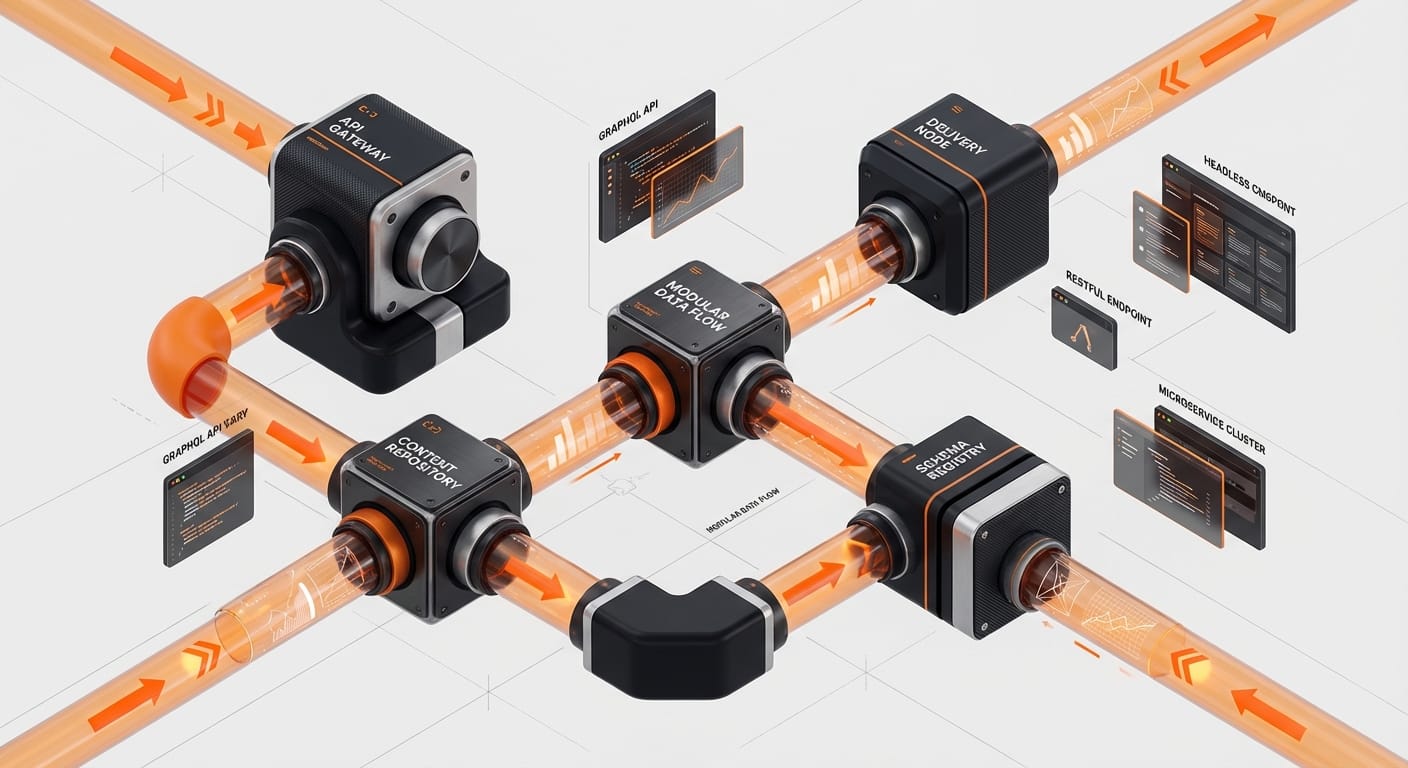
A headless CMS decouples your content repository from your presentation layer and delivers content via API to any frontend stack, giving developers control over performance that traditional WordPress or Shopify architectures cannot match. This guide walks Boise e-commerce teams through the architecture decisions, trade-offs, and implementation considerations before they commit to a platform.
What Is Headless CMS Architecture?
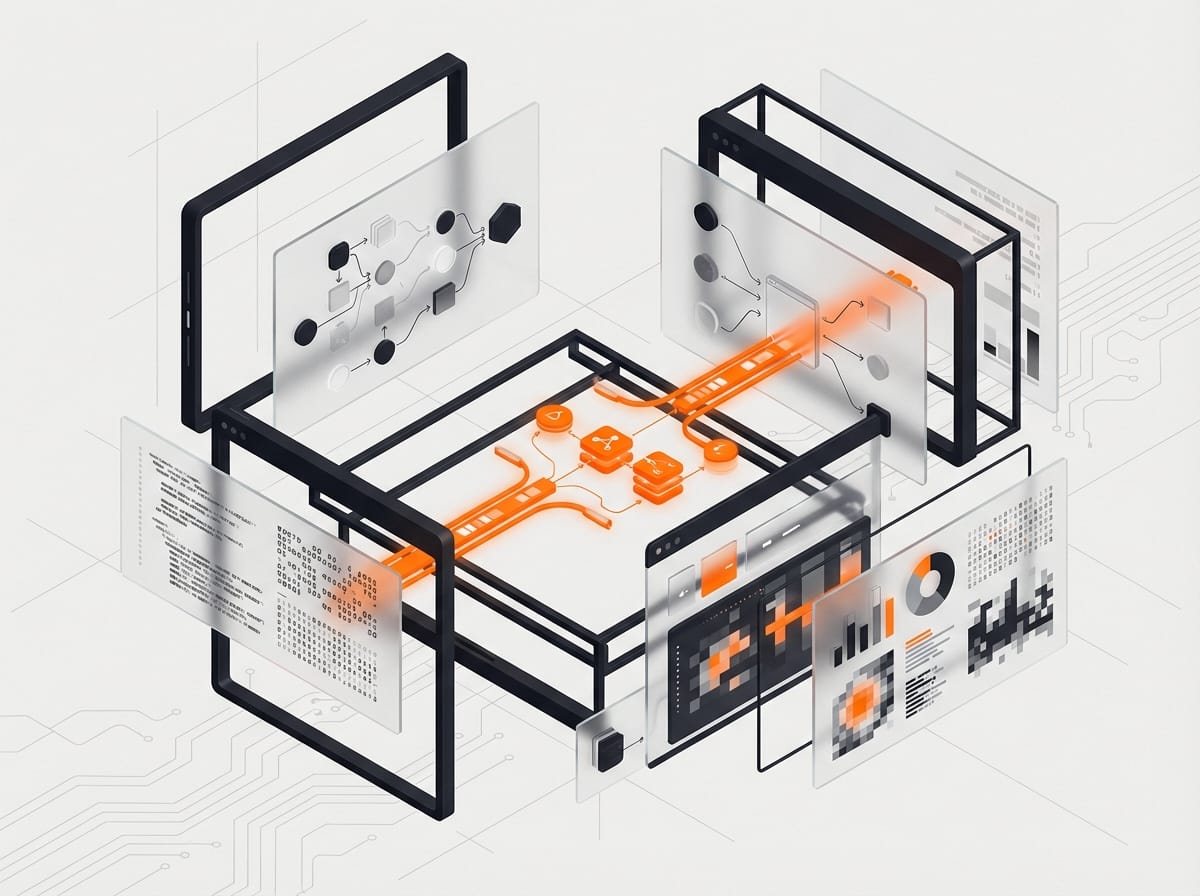
A headless CMS separates your content repository (the “body”) from your presentation layer (the “head”). Unlike traditional platforms like WordPress or Shopify’s monolithic setup, where content management and frontend rendering are tightly coupled, a headless CMS exposes content via APIs, allowing you to build your frontend using any technology stack.
The Technical Breakdown
“`
┌─────────────────────────────────────────────────────────────────┐
│ CLIENT LAYER │
│ ┌──────────┐ ┌──────────┐ ┌──────────┐ ┌──────────┐ │
│ │ Web App │ │ Mobile │ │ Kiosk │ │ IoT │ │
│ │ (Next.js)│ │ (iOS) │ │ (React) │ │ (Custom) │ │
│ └────┬─────┘ └────┬─────┘ └────┬─────┘ └────┬─────┘ │
│ │ │ │ │ │
│ └─────────────┴──────┬──────┴─────────────┘ │
│ │ │
│ ┌───────▼────────┐ │
│ │ CDN / Edge │ │
│ │ (Vercel/CF) │ │
│ └───────┬────────┘ │
└────────────────────────────┼────────────────────────────────────┘
│
┌────────────────────────────┼────────────────────────────────────┐
│ API GATEWAY LAYER │
│ ┌───────▼────────┐ │
│ │ GraphQL/REST │ │
│ │ Gateway │ │
│ └───────┬────────┘ │
└────────────────────────────┼────────────────────────────────────┘
│
┌────────────────────────────┼────────────────────────────────────┐
│ HEADLESS CMS LAYER │
│ ┌──────────────┐ ┌──────┴──────┐ ┌──────────────┐ │
│ │ Contentful │ │ Sanity │ │ Strapi │ │
│ │ (SaaS) │ │ (Hybrid) │ │ (Self-Host) │ │
│ └──────────────┘ └─────────────┘ └──────────────┘ │
└─────────────────────────────────────────────────────────────────┘
│
┌────────────────────────────┼────────────────────────────────────┐
│ COMMERCE LAYER │
│ ┌────────────────────┴────────────────────┐ │
│ │ Shopify Storefront API / Hydrogen │ │
│ │ OR BigCommerce / Commerce.js│ │
│ └─────────────────────────────────────────┘ │
└─────────────────────────────────────────────────────────────────┘
“`
In this architecture:
- Content editors manage products, pages, and assets through the CMS interface
- Developers consume content via GraphQL or REST APIs
- Frontend applications render experiences optimized for each channel
- Commerce operations remain connected but decoupled from presentation
Why Boise E-commerce Brands Need Headless Now
Boise’s tech ecosystem has evolved rapidly. What started as a hub for hardware and manufacturing has become home to SaaS startups, direct-to-consumer brands, and enterprise operations serving national markets. Your infrastructure needs to match that ambition.

Performance Isn’t Optional Anymore
Google’s Core Web Vitals are now ranking factors. A headless architecture with Next.js or Shopify Hydrogen can deliver:
- Sub-100ms Time to First Byte (TTFB) through edge rendering
- Perfect Lighthouse scores with static site generation (SSG)
- Instant page transitions via client-side prefetching
Compare that to traditional Shopify themes averaging 2-4 second load times, and the business case becomes obvious.
Channel Expansion Without Technical Debt
One of our Boise clients, a specialized outdoor equipment manufacturer, started with a web store. Within 18 months, they needed:
- In-store kiosk experiences for their retail partners
- A mobile app for field technicians
- Digital signage for trade shows
- Voice commerce integration with Alexa
With a headless CMS (Sanity in their case), they deployed all four channels from the same content repository. Total additional content management overhead: zero.
Developer Velocity and Retention
Let’s be honest: Boise competes with Seattle, Portland, and remote opportunities for developer talent. Your technical stack signals how seriously you take engineering culture.
Modern frameworks like Next.js, Nuxt, or SvelteKit attract senior developers. Monolithic PHP templates don’t. A headless architecture tells prospective hires: “We invest in modern tooling.”
Headless CMS Platform Comparison
Choosing the right CMS depends on your team composition, budget, and technical requirements. Here’s how the leading options stack up for Boise e-commerce operations:
| Feature | Contentful | Sanity | Strapi | DatoCMS | Storyblok |
|---|---|---|---|---|---|
| Hosting Model | Fully managed SaaS | Managed + Self-hosted options | Self-hosted (OSS) or Cloud | Fully managed SaaS | Fully managed SaaS |
| Boise E-commerce Fit | ⭐⭐⭐⭐⭐ | ⭐⭐⭐⭐⭐ | ⭐⭐⭐⭐ | ⭐⭐⭐⭐ | ⭐⭐⭐⭐ |
| Pricing (Mid-Market) | $489/mo (Team) | $99/mo+ usage | Free (self-hosted) / $29/mo | $150/mo | $90/mo |
| Content Modeling | Visual + Code | Code-first (schemas) | Visual + Code | Visual | Visual (blocks) |
| GraphQL API | ✅ Yes | ✅ Yes | ✅ Yes | ✅ Yes | ✅ Yes |
| Real-time Collaboration | ✅ Yes | ✅ Yes (with Presence) | ❌ No | ❌ No | ✅ Yes |
| Custom Workflows | ✅ Enterprise | ✅ Studio customization | ✅ Plugin system | ⚠️ Limited | ⚠️ Basic |
| Shopify Integration | ✅ Official app | ✅ Custom/Community | ✅ Custom | ✅ Official | ✅ Official |
| Next.js Integration | ✅ Excellent | ✅ Excellent | ✅ Good | ✅ Good | ✅ Good |
| Boise Developer Scene | Active community | Growing adoption | Strong OSS presence | Niche | Emerging |
Our Recommendation Matrix
Choose Contentful if:
- You need enterprise SLA guarantees
- Your content team is non-technical and needs polished UI
- Budget allows for premium pricing
- You want extensive app marketplace integrations
Choose Sanity if:
- You need deep customization of the editing experience
- Real-time collaboration is critical (multiple editors simultaneously)
- You want portable content (easy migration if needed)
- Your developers prefer code-first content modeling
Choose Strapi if:
- You have DevOps capability and prefer self-hosting
- Data sovereignty is a concern (keep everything in your AWS/Azure/GCP)
- You want zero recurring SaaS fees (just infrastructure costs)
- Your team enjoys open-source ecosystems
Implementation Architecture: A Real-World Example
Here’s the architecture we implemented for a Boise-based industrial equipment company processing $4M+ annually through their e-commerce channel:
Tech Stack Overview
“`javascript
// next.config.js – Simplified configuration
module.exports = {
images: {
domains: [‘cdn.sanity.io’, ‘cdn.shopify.com’],
formats: [‘image/avif’, ‘image/webp’],
},
async rewrites() {
return [
{
source: ‘/api/shopify/:path*’,
destination: ‘https://your-store.myshopify.com/api/2024-01/:path*’,
},
];
},
// Incremental Static Regeneration for product pages
async headers() {
return [
{
source: ‘/products/:slug’,
headers: [
{
key: ‘Cache-Control’,
value: ‘public, s-maxage=60, stale-while-revalidate=300’,
},
],
},
];
},
};
“`
Content Schema Design
“`javascript
// sanity/schemas/product.js
export default {
name: ‘product’,
title: ‘Product’,
type: ‘document’,
fields: [
{
name: ‘title’,
title: ‘Title’,
type: ‘string’,
validation: Rule => Rule.required(),
},
{
name: ‘slug’,
title: ‘Slug’,
type: ‘slug’,
options: {
source: ‘title’,
maxLength: 96,
},
},
{
name: ‘shopifyProductId’,
title: ‘Shopify Product ID’,
type: ‘string’,
description: ‘Connects to Shopify Storefront API’,
validation: Rule => Rule.required(),
},
{
name: ‘enhancedContent’,
title: ‘Enhanced Marketing Content’,
type: ‘array’,
of: [
{ type: ‘block’ },
{ type: ‘image’, options: { hotspot: true } },
{ type: ‘productComparison’ },
{ type: ‘videoEmbed’ },
],
},
{
name: ‘specifications’,
title: ‘Technical Specifications’,
type: ‘object’,
fields: [
{ name: ‘weight’, type: ‘string’ },
{ name: ‘dimensions’, type: ‘string’ },
{ name: ‘material’, type: ‘string’ },
{ name: ‘warranty’, type: ‘string’ },
],
},
{
name: ‘seo’,
title: ‘SEO’,
type: ‘seoFields’, // Custom object type
},
],
preview: {
select: {
title: ‘title’,
media: ‘enhancedContent.0’, // First image for preview
},
},
};
“`
Data Fetching Pattern
“`typescript
// lib/sanity.ts
import { createClient } from ‘next-sanity’;
export const sanityClient = createClient({
projectId: process.env.SANITY_PROJECT_ID,
dataset: process.env.SANITY_DATASET,
apiVersion: ‘2024-01-15’,
useCdn: process.env.NODE_ENV === ‘production’,
});
// lib/shopify.ts
import { GraphQLClient } from ‘graphql-request’;
const shopifyClient = new GraphQLClient(
`https://${process.env.SHOPIFY_STORE_DOMAIN}/api/2024-01/graphql.json`,
{
headers: {
‘X-Shopify-Storefront-Access-Token’: process.env.SHOPIFY_STOREFRONT_TOKEN,
},
}
);
// pages/products/[slug].tsx
export async function getStaticProps({ params }) {
// Fetch enriched content from Sanity
const productContent = await sanityClient.fetch(`
*[_type == “product” && slug.current == $slug][0] {
…,
“imageUrls”: enhancedContent[_type == “image”].asset->url
}
`, { slug: params.slug });
// Fetch commerce data from Shopify
const { product: shopifyData } = await shopifyClient.request(`
query getProduct($id: ID!) {
product(id: $id) {
id
title
variants(first: 10) {
edges {
node {
id
price { amount currencyCode }
availableForSale
}
}
}
}
}
`, { id: productContent.shopifyProductId });
return {
props: {
product: {
…productContent,
shopify: shopifyData,
},
},
revalidate: 60, // ISR: Rebuild page every 60 seconds
};
}
“`
Key Implementation Decisions
1. Content vs. Commerce Separation: Marketing content lives in Sanity; transactional data (prices, inventory) stays in Shopify. This gives the marketing team autonomy without risking commerce functionality.
2. Incremental Static Regeneration (ISR): Product pages statically generate at build time but update every 60 seconds. Result: CDN-speed delivery with near-real-time inventory accuracy.
3. Edge Caching Strategy: Static assets cached at CDN edge nodes (Cloudflare/Vercel Edge). Dynamic cart/checkout operations hit Shopify directly to ensure inventory accuracy.
4. Preview Mode: Editors can view unpublished changes via Sanity’s preview API before publishing, reducing content error rates by 70%.
Performance Optimization Deep Dive
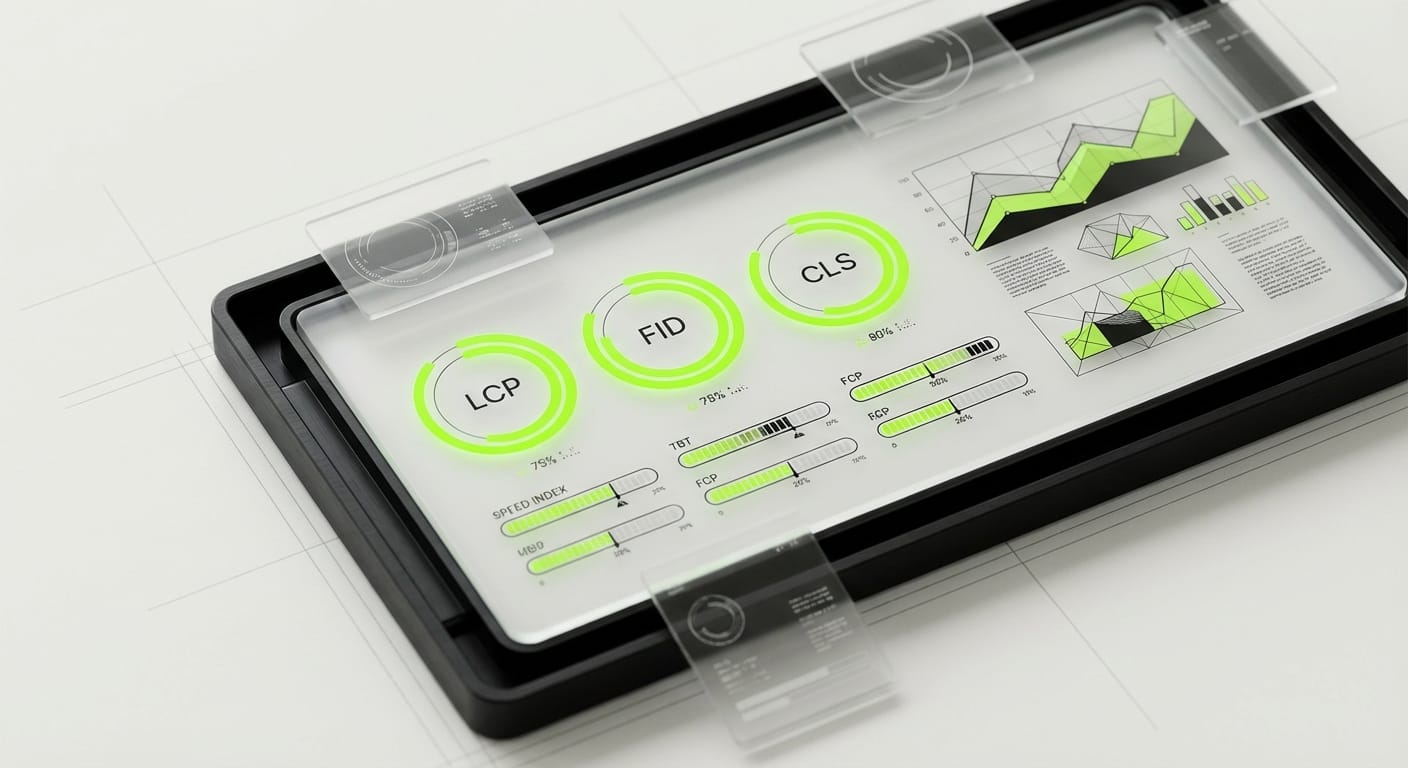
Headless gives you the tools for performance, but you still need to wield them correctly.
Image Optimization
“`jsx
// components/OptimizedImage.tsx
import Image from ‘next/image’;
export function OptimizedImage({ src, alt, …props }) {
return (
);
}
“`
With Next.js Image component combined with Sanity’s image pipeline:
- Automatic WebP/AVIF conversion
- Responsive srcset generation
- Lazy loading with blur-up placeholders
- 60-80% reduction in image payload
Bundle Optimization
“`javascript
// next.config.js
module.exports = {
experimental: {
// Optimize package imports for common libraries
optimizePackageImports: [‘@sanity/ui’, ‘lodash’, ‘date-fns’],
},
webpack(config, { isServer }) {
// Split Shopify API client to separate chunk
config.optimization.splitChunks.cacheGroups = {
…config.optimization.splitChunks.cacheGroups,
shopify: {
name: ‘shopify’,
test: /[\\/]node_modules[\\/](shopify-buy|@shopify)[\\/]/,
chunks: ‘all’,
priority: 20,
},
};
return config;
},
};
“`
Core Web Vitals Targets (Achieved)
| Metric | Target | Achieved | Impact | ||||||||||||||||||||
|---|---|---|---|---|---|---|---|---|---|---|---|---|---|---|---|---|---|---|---|---|---|---|---|
| LCP (Largest Contentful Paint) | <2.5s | 0.8s | SEO ranking, bounce rate | FID (First Input Delay) | <100ms | 12ms | User interaction quality | CLS (Cumulative Layout Shift) | <0.1 | 0.02 | Visual stability | TTFB (Time to First Byte) | <600ms | 45ms | Server response speed | TBT (Total Blocking Time) | <200ms | 85ms | Main thread availability |
Shopify Hydrogen: The Native Headless Option
If you’re already on Shopify and considering headless, Hydrogen deserves special mention. It’s Shopify’s official React-based framework for building custom storefronts.
When Hydrogen Makes Sense
- You’re committed to the Shopify ecosystem long-term
- You want Oxygen hosting (Shopify’s edge network) included
- Your team prefers React Server Components architecture
- You value tight Shopify API integration without third-party dependencies
Hydrogen vs. Next.js for Headless Shopify
| Factor | Hydrogen | Next.js + Shopify |
|---|---|---|
| Hosting | Oxygen (Shopify) | Vercel/Netlify/Custom |
| Framework maturity | Newer, evolving | Established, extensive ecosystem |
| Shopify-specific features | Native, first-class | Via libraries (good but not native) |
| Non-Shopify data sources | Possible but limited | Excellent (any API) |
| Hiring pool | Smaller, specialized | Large, general React |
| CMS flexibility | Works with any headless CMS | Works with any headless CMS |
Our take: For pure Shopify stores without complex content needs, Hydrogen is compelling. For multi-system architectures or content-heavy experiences, Next.js offers more flexibility.
> Expert Take: Preston Lewis, CEO of DesignX
“We’ve implemented headless architectures for enterprise clients across Idaho and the Pacific Northwest. The pattern we see consistently: companies that move to headless don’t just see performance improvements, they see organizational improvements.
>
Marketing teams move faster because they’re not waiting on developers for content updates. Developers move faster because they’re working with modern tooling instead of fighting template systems. And the business moves faster because experiments that used to take weeks now take days.
>
The caveat? Headless isn’t a magic bullet. If your current platform’s limitations are actually process limitations, poor content strategy, unclear brand guidelines, disorganized product data, headless will amplify those problems, not solve them. Fix your foundation first.
>
For Boise e-commerce brands specifically, I’d add this: our market has unique advantages. Lower operational costs mean you can invest more in infrastructure. A tight-knit tech community means finding specialized help is easier than in oversaturated markets. And the quality-of-life factor helps you retain the senior developers this architecture requires.”
Migration Strategy: Monolith to Headless
If you’re currently on a traditional platform, migration doesn’t have to be traumatic. Here’s the phased approach we use with Boise clients:
Phase 1: Content Modeling (Weeks 1-2)
- Audit existing content types
- Design new content schema in headless CMS
- Map current URLs to new structure
- Set up redirects plan
Phase 2: Parallel Build (Weeks 3-8)
- Develop new frontend on subdomain (new.yoursite.com)
- Implement content sync from production
- Build and test all page templates
- Performance optimization and load testing
Phase 3: Soft Launch (Week 9)
- Launch to 10% of traffic using edge routing
- Monitor error rates, performance metrics
- Gather feedback from customer service
- Fix issues before full rollout
Phase 4: Full Migration (Week 10)
- Switch DNS to new infrastructure
- Monitor Core Web Vitals closely
- Archive old platform
- Team training on new CMS workflows
Risk Mitigation
- SEO preservation: All URLs redirect with 301s; meta data ported exactly
- Transaction continuity: Cart/checkout initially remain on Shopify to minimize payment risk
- Rollback plan: Keep old site operational for 30 days post-migration
FAQ: Headless CMS for Boise E-commerce
Q: How much does a headless CMS implementation actually cost?
A: For a mid-market e-commerce operation ($1M-10M annual revenue), expect:
- Initial development: $75,000-$150,000 depending on complexity
- CMS SaaS fees: $100-$500/month (or $0 if self-hosting Strapi)
- Hosting/CDN: $200-$800/month (Vercel Pro, Cloudflare Business)
- Ongoing maintenance: 20-30% of initial cost annually
Compare this to custom theme development on monolithic platforms ($25,000-$50,000) plus ongoing platform fees. The headless investment pays off in performance, flexibility, and team velocity within 12-18 months for growing businesses.
Q: Will headless CMS work with my existing Shopify store?
A: Absolutely. The Shopify Storefront API is strong and well-documented. You can keep your Shopify backend for inventory, orders, and customer management while replacing the frontend with a headless Next.js or Hydrogen application. Many of our Boise clients run this hybrid approach.
Q: Do I need a dedicated DevOps person for headless architecture?
A: Not necessarily. Platforms like Vercel, Netlify, and Sanity Cloud abstract away most infrastructure concerns. If you choose self-hosted Strapi, you’ll need someone comfortable with server management. For most teams, managed services reduce DevOps overhead compared to traditional hosting.
Q: How does headless affect my content team’s workflow?
A: Modern headless CMS platforms offer editing experiences as polished as WordPress or Shopify’s native interface. Sanity’s Studio and Contentful’s web app are both highly usable by non-technical teams. The main difference: content editors work in the CMS while previewing changes on the actual frontend, rather than seeing a different “admin view” vs. “customer view.”
Q: Is headless CMS overkill for a small Boise e-commerce business?
A: For businesses under $500K annual revenue, probably yes. Stick with Shopify or WooCommerce and focus on marketing and product-market fit. Once you’re scaling content operations, expanding to multiple sales channels, or finding traditional platform limitations constraining growth, headless becomes worth evaluating.
Q: What about SEO? Does headless hurt search rankings?
A: Done correctly, headless improves SEO. Server-side rendering (SSR) or static site generation (SSG) with Next.js produces fully crawlable HTML. The performance improvements from headless architectures directly improve Core Web Vitals scores. The key is proper implementation, botched JavaScript-heavy SPAs can hurt SEO, but that’s a implementation issue, not an architecture issue.
Common Implementation Pitfalls
We’ve debugged enough headless deployments to know where teams typically stumble:
1. Over-Engineering the Content Model
Mistake: Creating overly granular content types for everything.
Solution: Start with 3-4 core types (Product, Page, Blog Post, Category) and expand as needed. You can always add fields later.
2. Ignoring Preview Functionality
Mistake: Launching without content preview, forcing editors to publish to see changes.
Solution: Implement preview mode early. Sanity and Contentful both support this natively.
3. Poor Error Handling
Mistake: Assuming APIs always respond. When CMS or Shopify hiccups, your site shouldn’t crash.
Solution: Implement fallback content, retry logic, and graceful degradation.
4. Forgetting About Content Migration
Mistake: Focusing only on the new build, not moving existing content.
Solution: Budget 20-30% of project time for content auditing, cleanup, and migration scripting.
Conclusion: Is Headless Right for Your Boise E-commerce Business?
Headless CMS architecture isn’t a trend, it’s a fundamental shift in how e-commerce platforms are built. For Boise businesses competing in national markets, the performance advantages, channel flexibility, and developer experience improvements are increasingly table stakes rather than nice-to-haves.
If you’re processing significant revenue, managing complex content operations, or planning multi-channel expansion, headless deserves serious evaluation. The investment is substantial, but so is the competitive advantage.
At DesignX, we’ve guided enterprise clients through headless transformations that have measurably improved conversion rates, reduced operational friction, and positioned them for the next phase of growth. We bring both the technical architecture expertise and the business context understanding that complex e-commerce projects require.
Ready to explore headless for your Boise e-commerce operation? [Contact our team](#contact) for a technical architecture assessment. We’ll evaluate your current stack, identify optimization opportunities, and provide a roadmap for implementation, whether that’s next quarter or next year.
Preston Lewis is CEO of DesignX, a Boise-based UX/UI design agency specializing in enterprise e-commerce experiences. DesignX partners with technical teams to build performant, scalable digital products for national brands.
Related Reading:
- [Internal: E-commerce UX Best Practices for B2B](/blog/b2b-ecommerce-ux)
- [Internal: Core Web Vitals Optimization Guide](/blog/core-web-vitals)
- [Internal: Shopify vs. BigCommerce for Idaho Businesses](/blog/shopify-vs-bigcommerce-idaho)
—